Kubernetes
ZenPacks.zenoss.Kubernetes
This ZenPack monitors Kubernetes (K8s) clusters deployed on Google Cloud Platform (GKE), Amazon Web Services (EKS), Microsoft Azure (AKS), Red Hat OpenShift Virtualization, as well as on locally-hosted environments. It uses RBAC authentication to access all data related to modeling and monitoring.
ZenPack features include:
- Overall Cluster Health Monitoring
- Health Monitoring for Nodes, Services, Pods, Containers, and Virtual Machine Instances
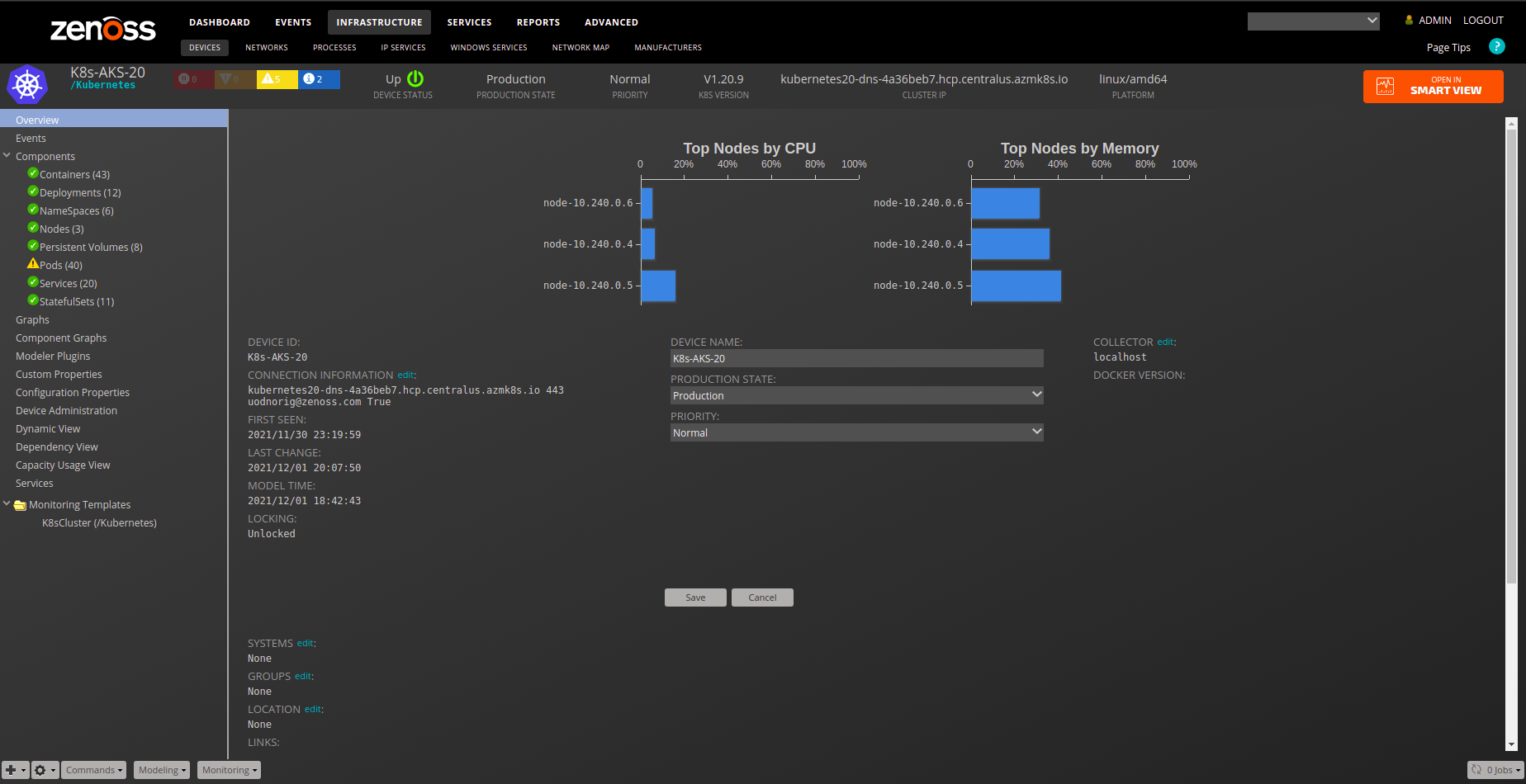
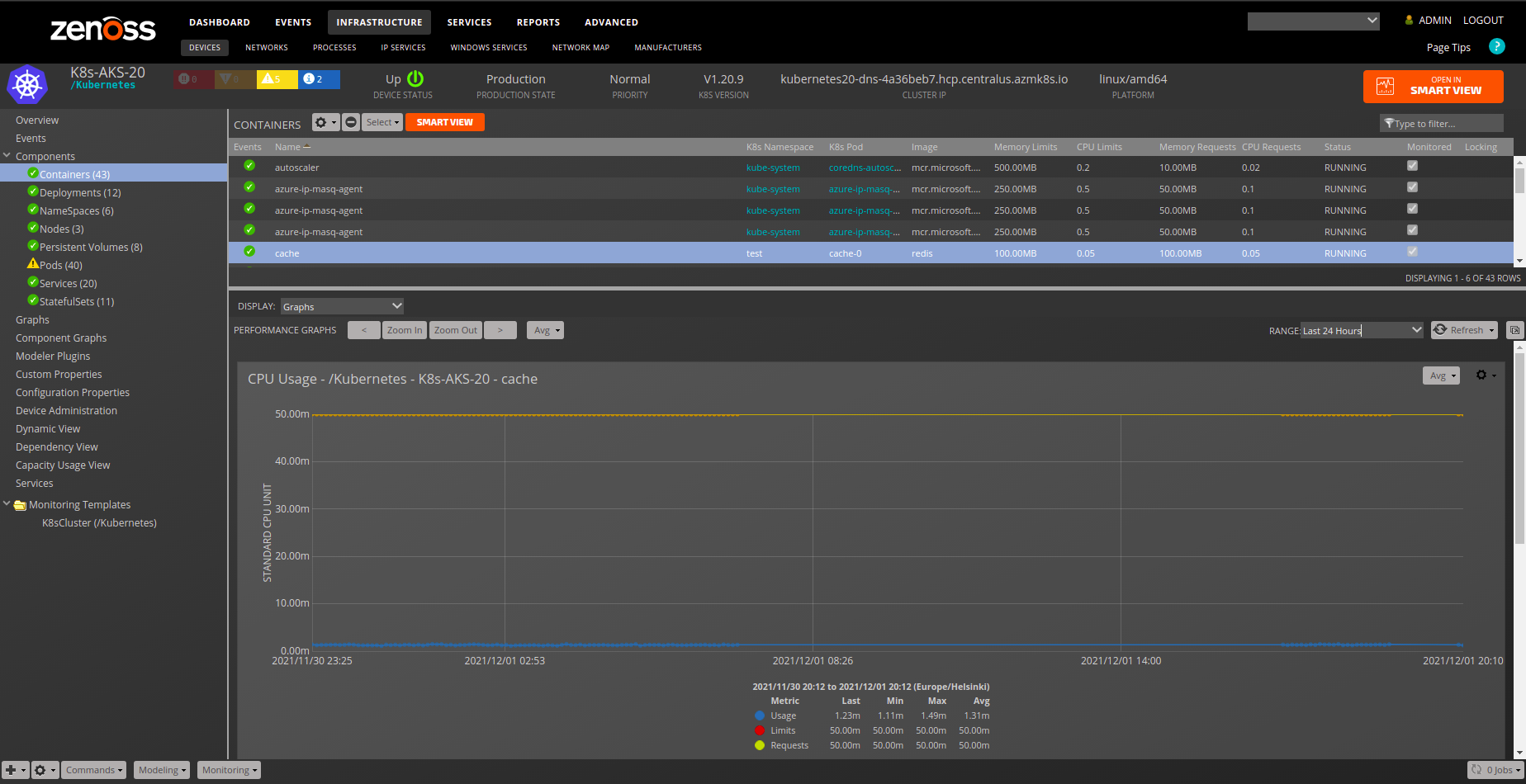
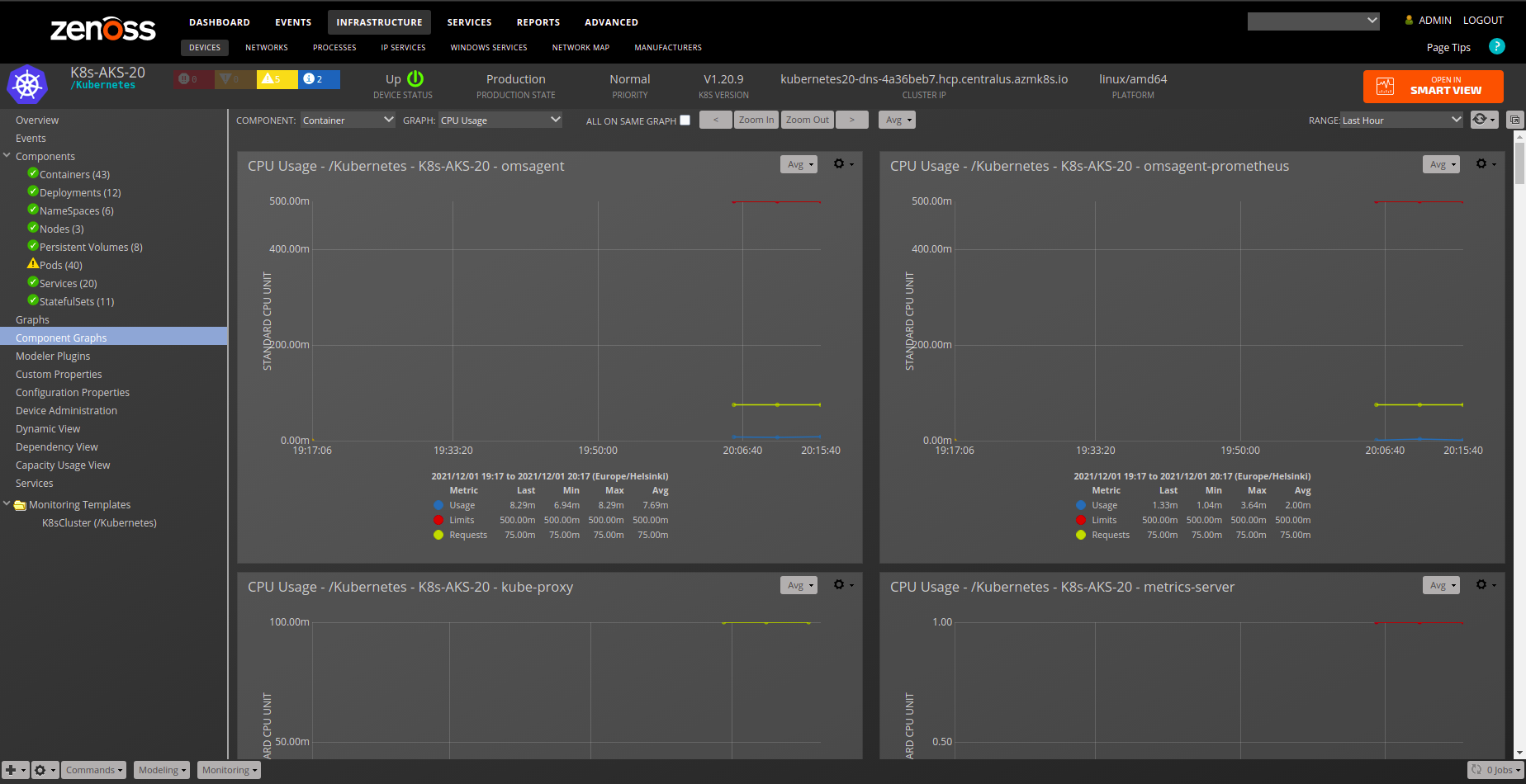
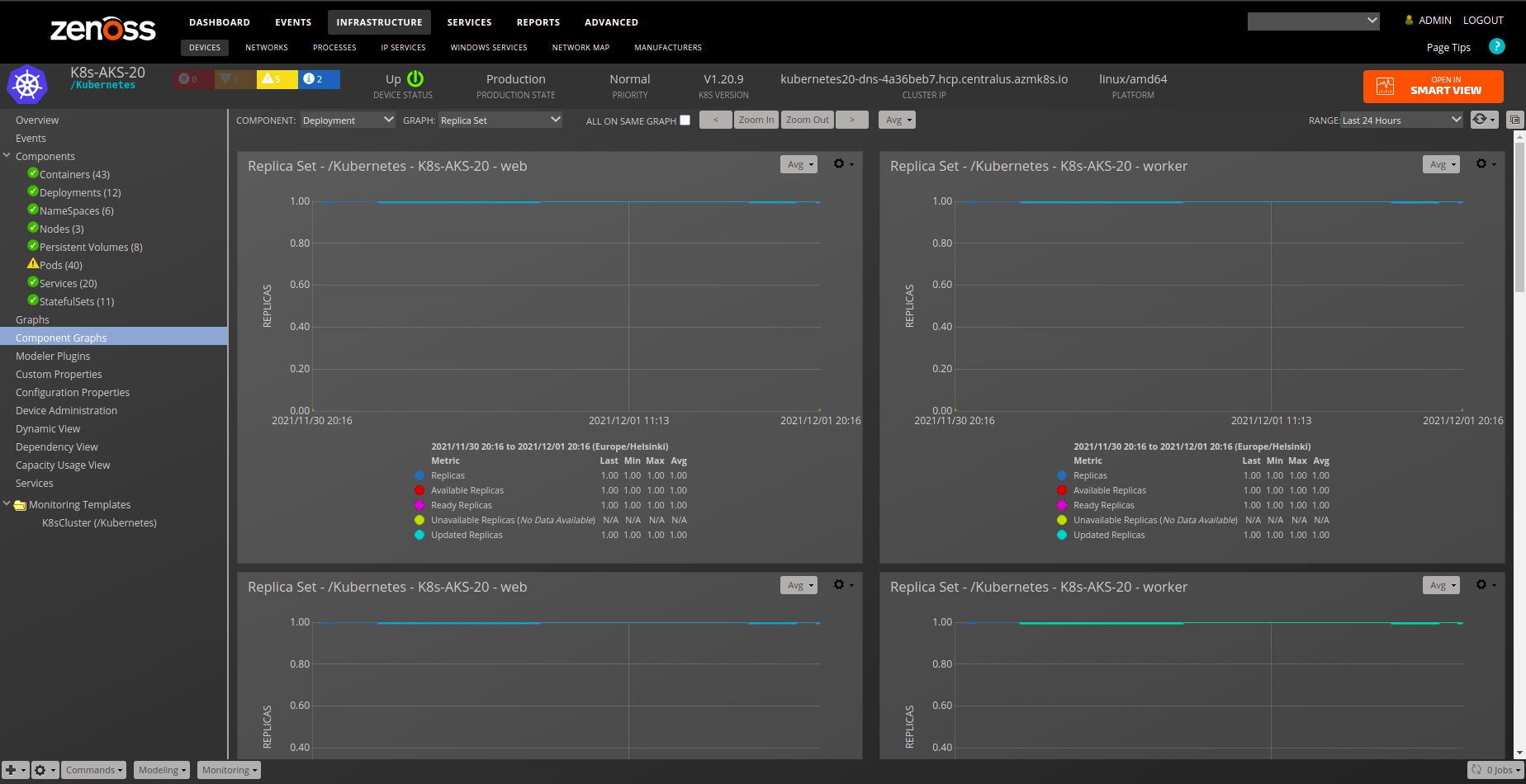
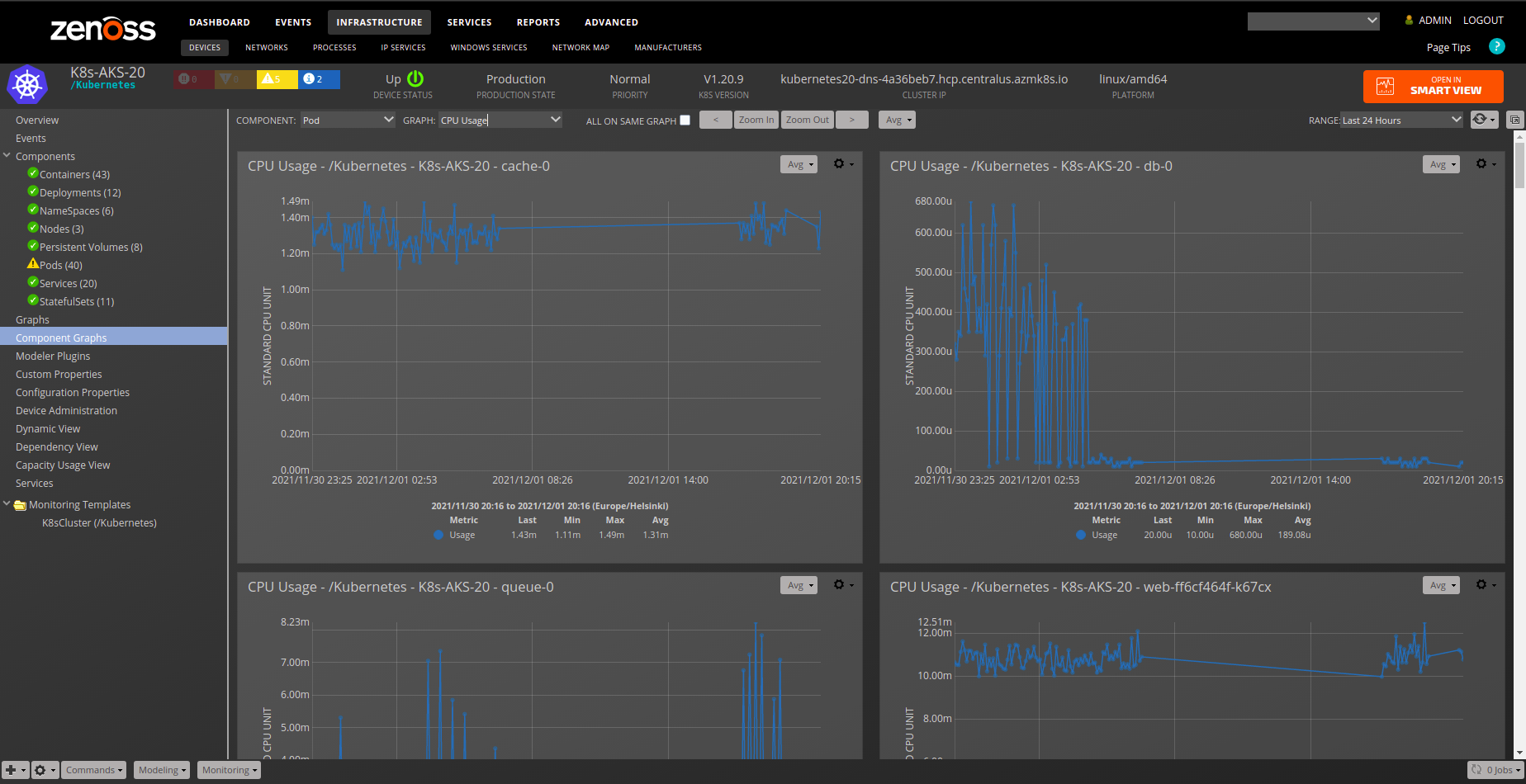
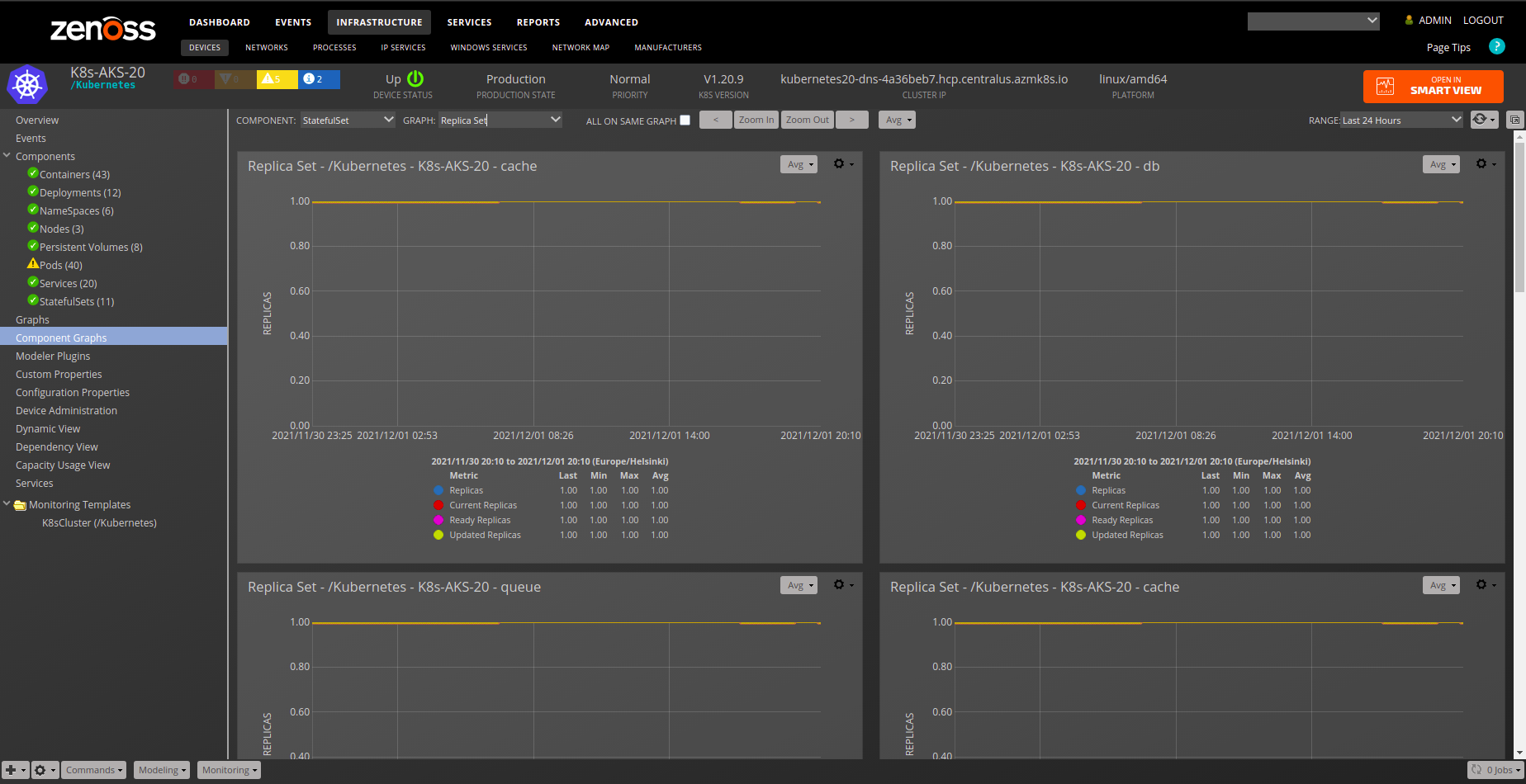
- Graphs for Kubernetes Cluster, Nodes, Deployments, StatefulSets, Pods, Containers, and Virtual Machine Instances
- Dashboard Portlets for Pod CPU and Memory consumption
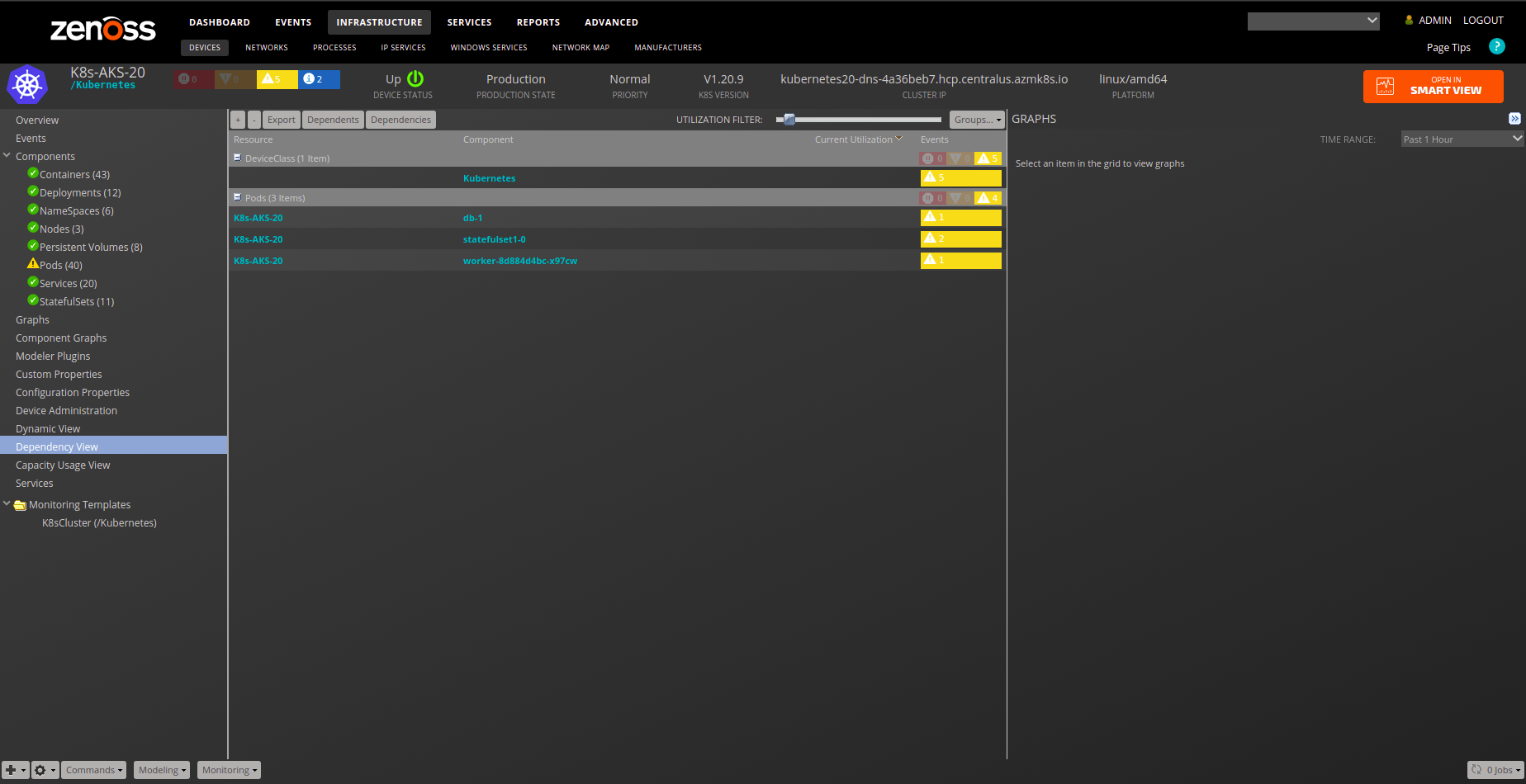
- Service Impact and root cause analysis
- Event Management
Commercial
This ZenPack is developed and supported by Zenoss Inc. Commercial ZenPacks are available to Zenoss commercial customers only. Contact Zenoss to request more information regarding this or any other ZenPacks. Click here to view all available Zenoss Commercial ZenPacks.
Support
This ZenPack is included with commercial versions of Zenoss and enterprise support for this ZenPack is provided to Zenoss customers with an active subscription.
Releases
Version 2.1.0-Download
- Released on August 11, 2026
- Requires PythonCollector ZenPack, ZenPackLib ZenPack (>=2.1.0), PS.Util ZenPack (>=1.10.0)
- Compatible with Virtana Service Observability (formerly Zenoss Cloud) and Virtana Resource Manager 6.9.0, and Service Impact 5.7.2
Version 2.1.0-Download
- Released on March 31, 2026
- Requires PythonCollector ZenPack, ZenPackLib ZenPack (>=2.1.0), PS.Util ZenPack (>=1.10.0)
- Compatible with Virtana Service Observability (formerly Zenoss Cloud) and Virtana Resource Manager 6.9.0, and Service Impact 5.7.2
Support Requirements
Zenoss:
- Zenoss 6.2+
- ZenPackLib ZenPack 2.1.0+
- PS.Util ZenPack 1.10.0+
Kubernetes:
- Kubernetes versions 1.9.X - 1.34.X
- Kubernetes versions 1.17.X - 1.34.X deployed on Google Cloud Platform, GKE
- Kubernetes versions 1.18.X - 1.35.X deployed on Amazon Web Services, EKS
- Kubernetes versions 1.20.X - 1.33.X deployed on Microsoft Azure, AKS
- Kubernetes versions 1.16.X - 1.32.X deployed on local environment
- Red Hat OpenShift 1.31.X+
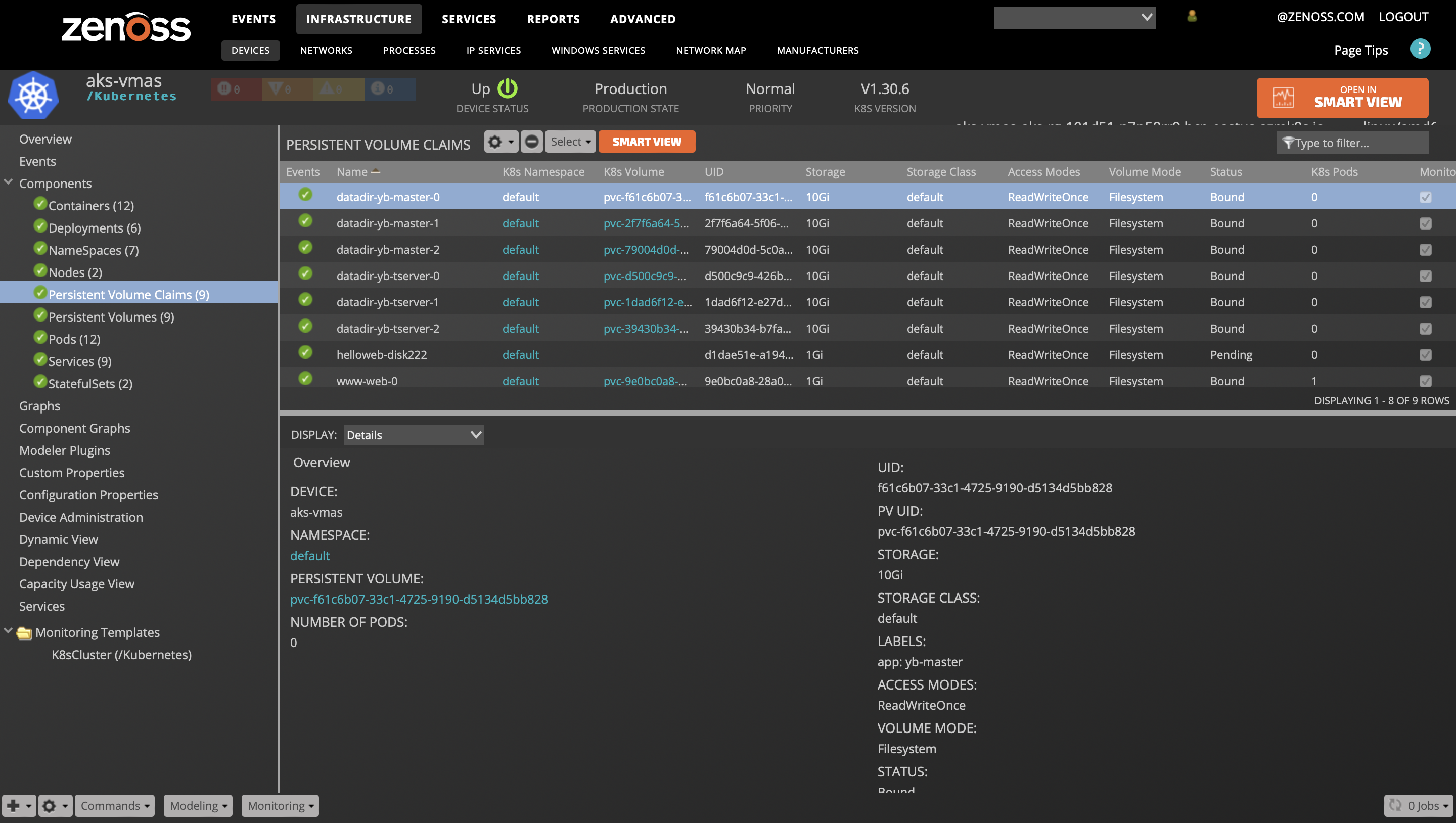
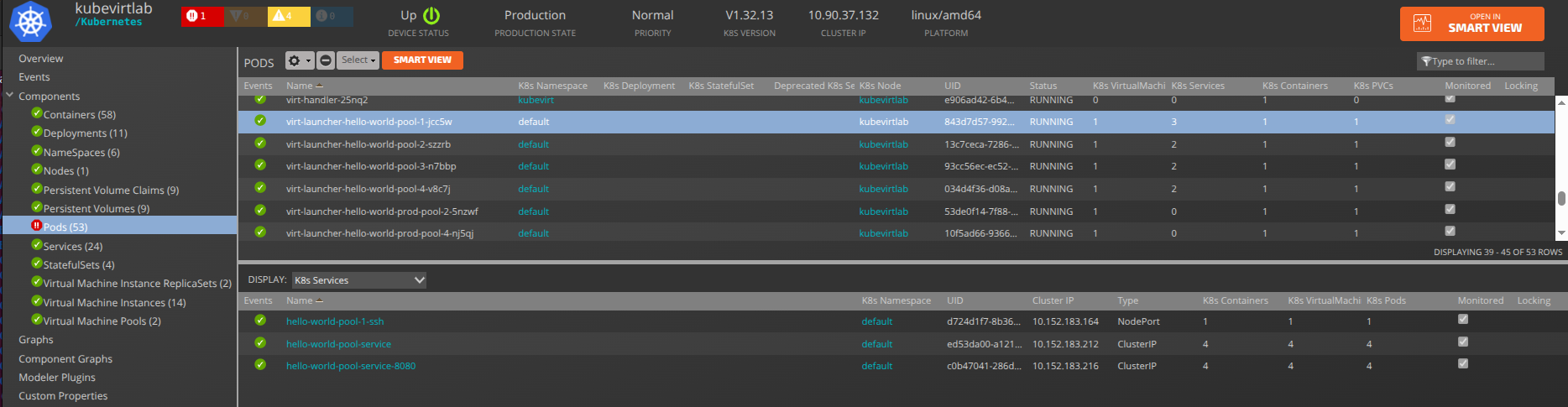
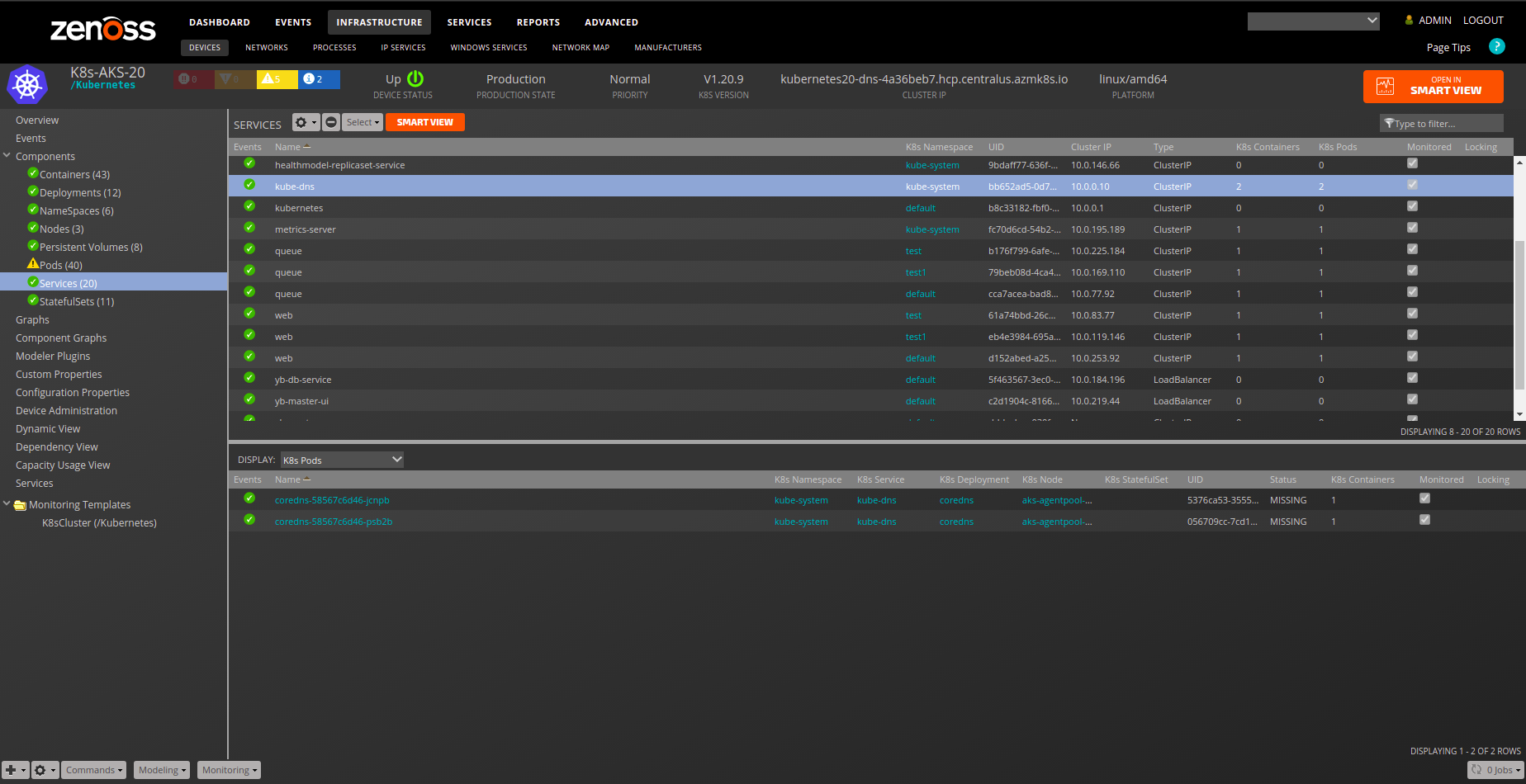
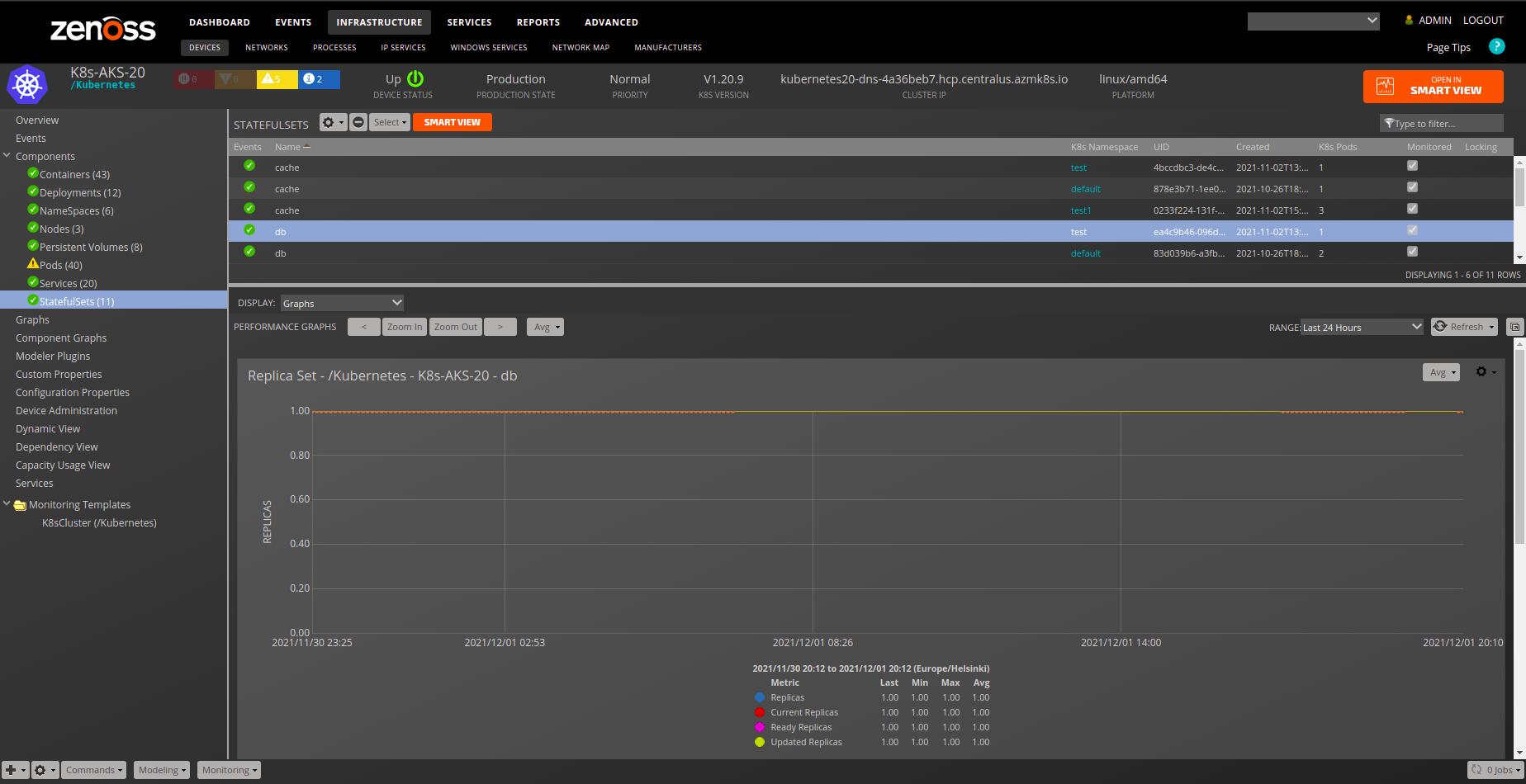
Gallery
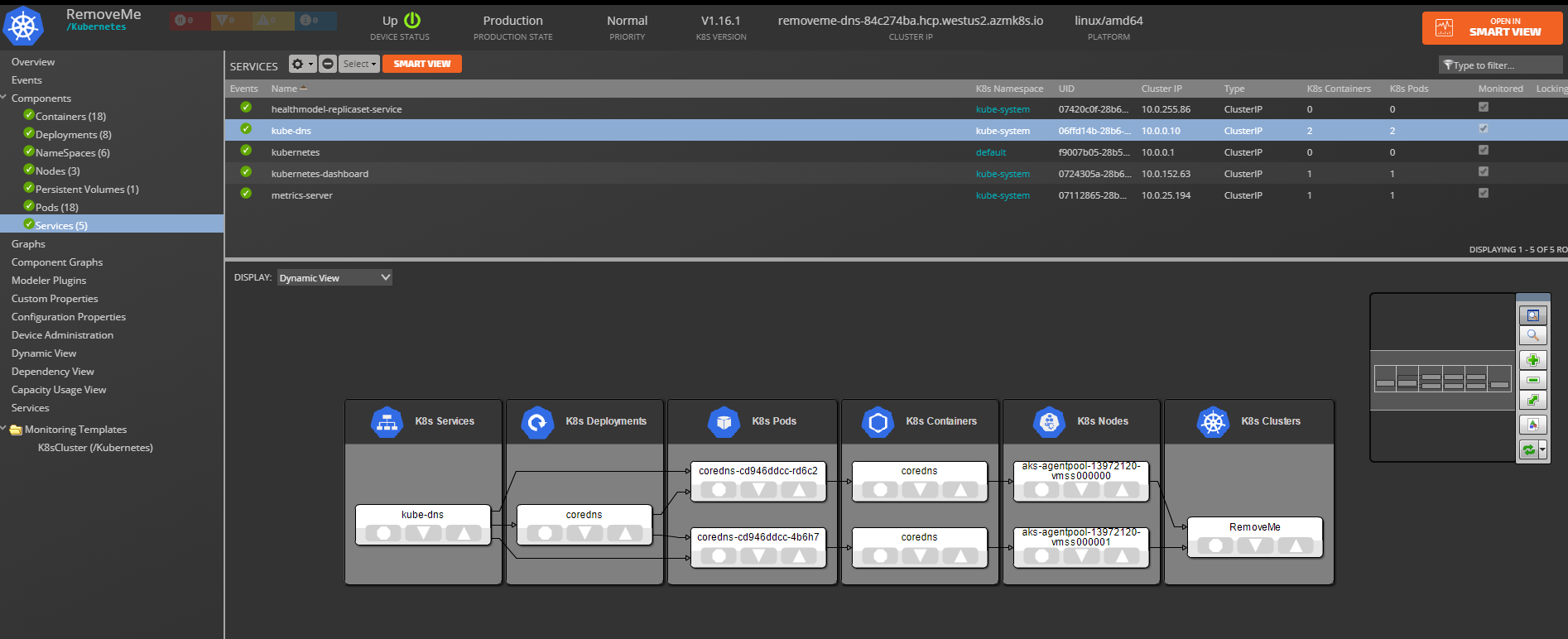
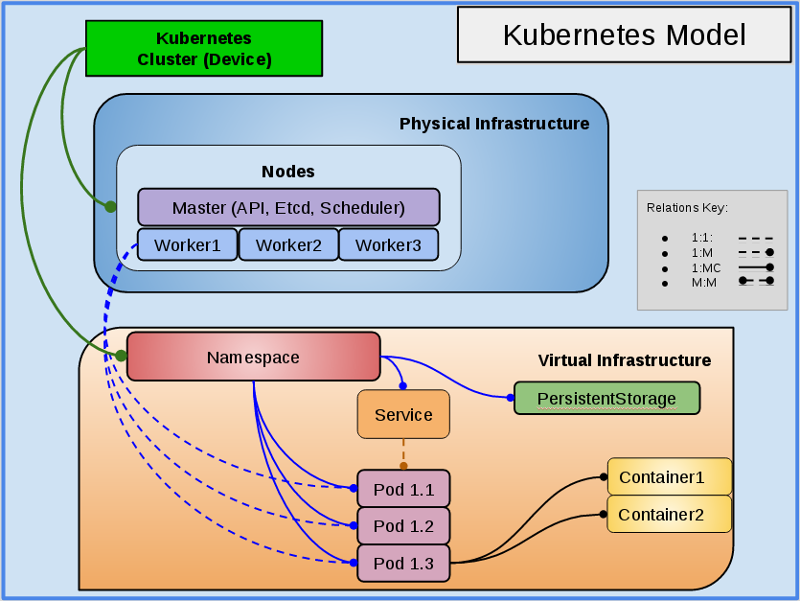
Upgrade Notes
Version 2.1.0
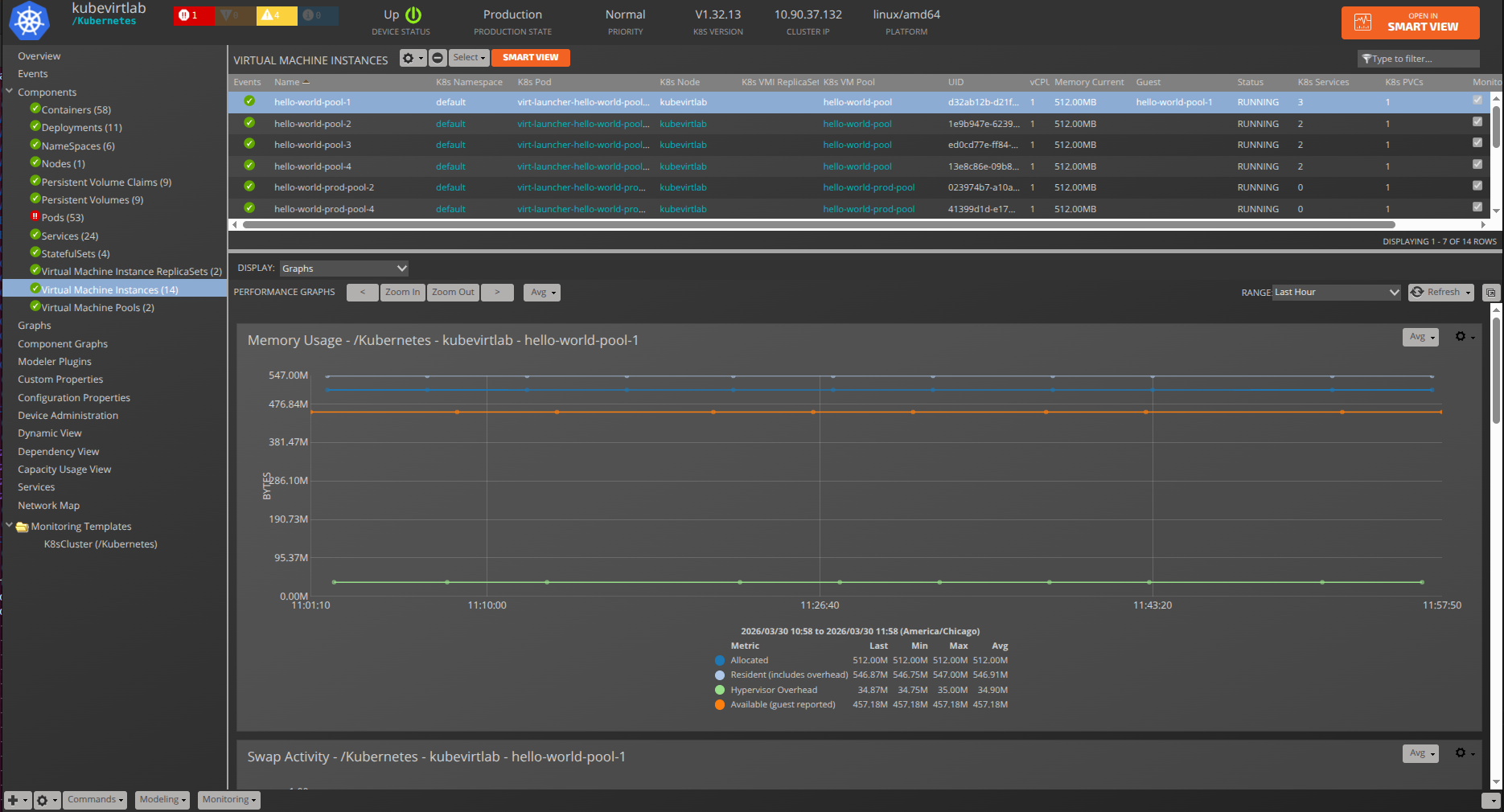
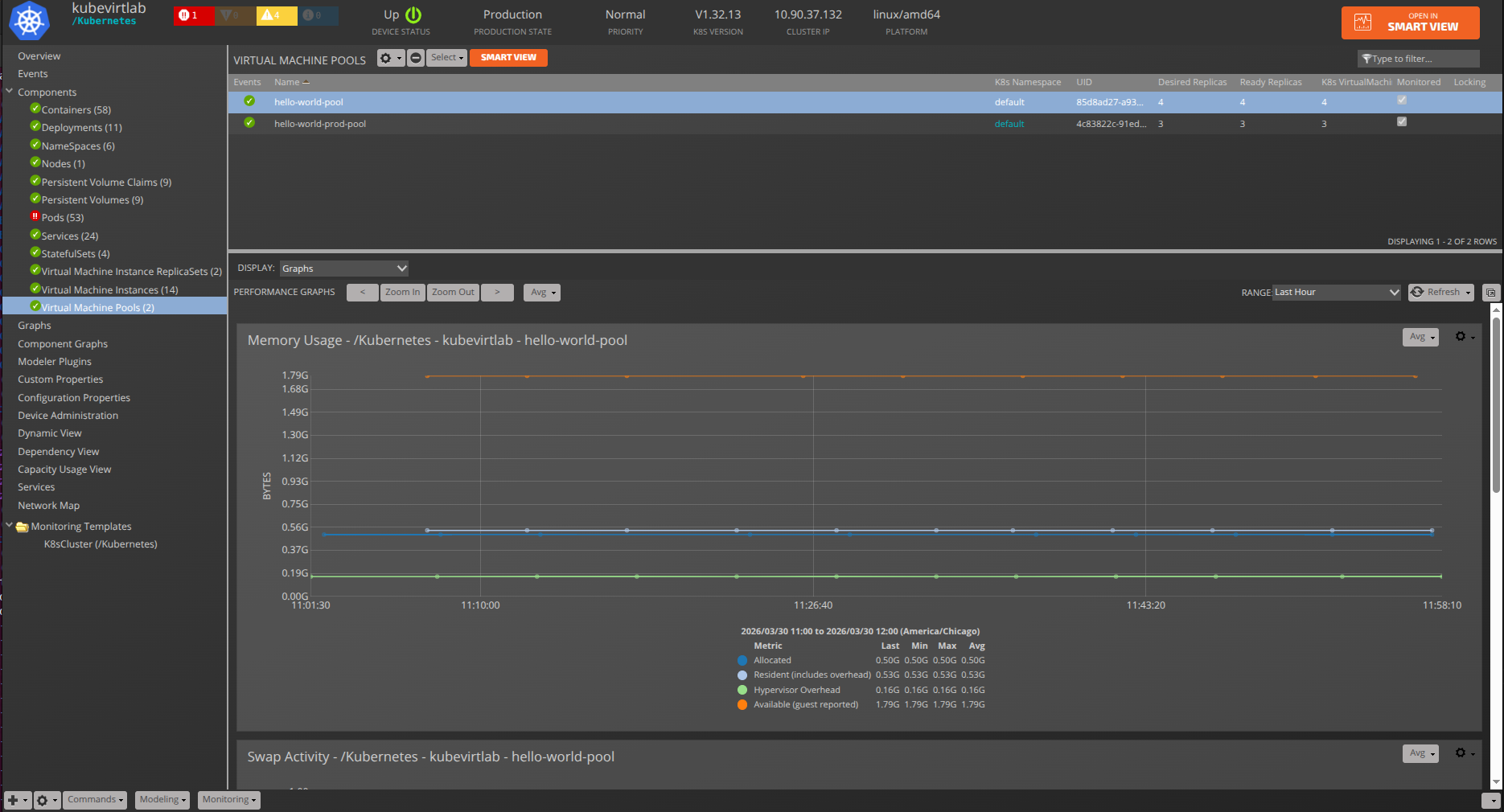
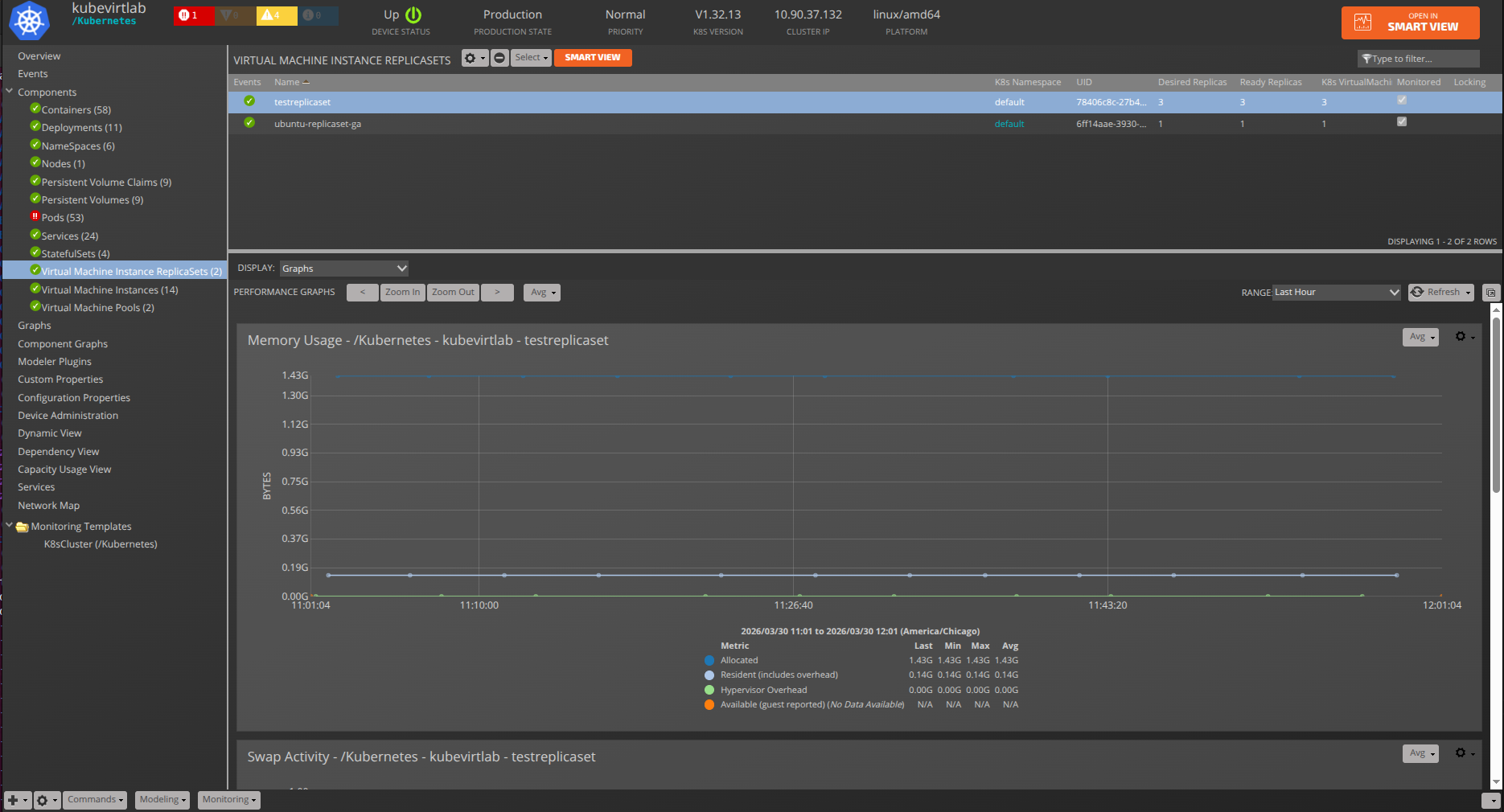
Version 2.1.0 introduces KubeVirt and Red Hat OpenShift Virtualization support, adding monitoring for Virtual Machine Instances (VMIs), Virtual Machine Pools, and VMI ReplicaSets. VMIs that are linked to Pods are automatically associated, and guest device linking allows VMIs to be correlated with their underlying infrastructure.
The Service component has been replaced by a new KubeService component class that supports many-to-many (M:M) relationships with Pods and Virtual Machine Instances. The previous 1:M K8sService relationship is preserved in the schema for backwards compatibility. After upgrading and modeling, the deprecated Service components are automatically removed and replaced by the new KubeService components. The first model cycle after upgrade may log transient errors for service relationships; these resolve automatically.
New zProperties added:
- zKubernetesPodInclude and zKubernetesPodExclude replace the deprecated zKubernetesPodFilter
- zKubernetesVirtualMachineInstanceInclude and zKubernetesVirtualMachineInstanceExclude control VMI modeling
- zKubernetesModelKubevirtVMIs enables KubeVirt/OpenShift VMI modeling
- zKubernetesPodLifecycleThreshold controls pod lifecycle event thresholds
- zKubernetesWatchInterval configures the watch API polling interval
A new Prometheus Metrics datasource has been added for collecting Kubernetes metrics via Prometheus endpoints. The RBAC configuration has been updated to include permissions for KubeVirt resources (virtualmachineinstances, virtualmachinepools, virtualmachineinstancereplicasets).
A new event class /Status/Kubernetes/Prometheus has been added for events related to
Prometheus metrics collection for KubeVirt components.
This release requires PS.Util ZenPack >= 1.10.0.
Version 2.0.0
Beginning with version 2.0.0, incremental modeling is significantly improved: - The new K8sRedisCache module and class allows Zenoss to properly track changes across restarts of the collector daemon and enables proper replication of cached data through collectorredis. - Two new zProperties control namespaces and their child components' modeling: zKubernetesNamespaceInclude and zKubernetesNamespaceExclude, which replaces the deprecated zKubernetesNamespaceFilter.
Additionally, Kubernetes Nodes deployed on vSphere are now linked to the corresponding virtual machines. Two new thresholds were added to Kubernetes Pods performance collection: CPU and Memory. If no limits are defined, a default of 0.0 is returned. If no container limits are set in Kubernetes, the default is 90% of the node the pod is running on.
Note that in this release, PersistentVolumes and PersistentVolumeClaims are split into separate components, with the following relations created:
- K8sNamespace 1:MC K8sPersistentVolumeClaim
- K8sPod M:M K8sPersistentVolumeClaim
- K8sPersistentVolumeNew 1:1 K8sPersistentVolumeClaim
Version 1.2.0
When updating to version 1.2.0 monitoring of a new component StatefulSet was added. Similar to Services, Deployments, Pods, and Containers, StatefulSets can be selected for modeling using zKubernetesNamespaceFilter. In addition, a new zProperty called zKubernetesPodFilter was added to select Pods and Containers for modeling.
Please note that the generation of identifiers for Pods and Containers has been changed due to the improvements, therefore, after updating to version 1.2.0, the old monitoring data for Pods and Containers, collected before the update, will no longer be displayed on the component graphs.
Version 1.1.0
When updating to version 1.1.0 or later (from versions prior to 1.1.0), a new zProperty was added, zKubernetesNamespaceFilter, to filter Deployments, Services, Pods, and Containers based upon the namespace to which they belong. These four components link together, hence they all rely on the same zProperty. Further, the default behavior for most Kubernetes consoles hid components under the 'kube-system' namespace while displaying everything else. This behavior has been adopted by the 1.1.0 Kubernetes ZenPack; the zProerties zKubernetesNamespaceFilter and zKubernetesContainerNamesModeled may be updated during the upgrade process to reflect the new default behavior.
If the zKubernetesContainerNamesModeled was changed from the default value then the new value will not be updated, even if the value is 'kube-system/.*/.*'. In this situation, the property zKubernetesNamespaceFilter will have to be updated to allow 'kube-system'.
Service Impact relations may become out of sync when upgrading to 1.1.0. This issue should only affect instances where Service Impact is running. Service Impact can be manually corrected (after installation is complete) by running this command:
zenimpactgraph run --update
Kubernetes Structure and Discovery
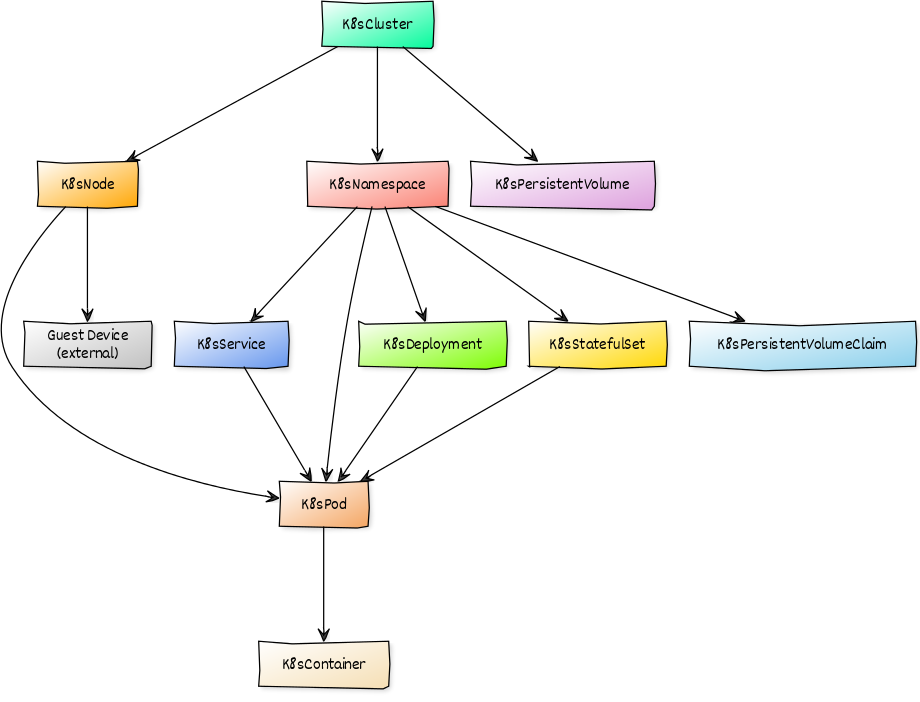
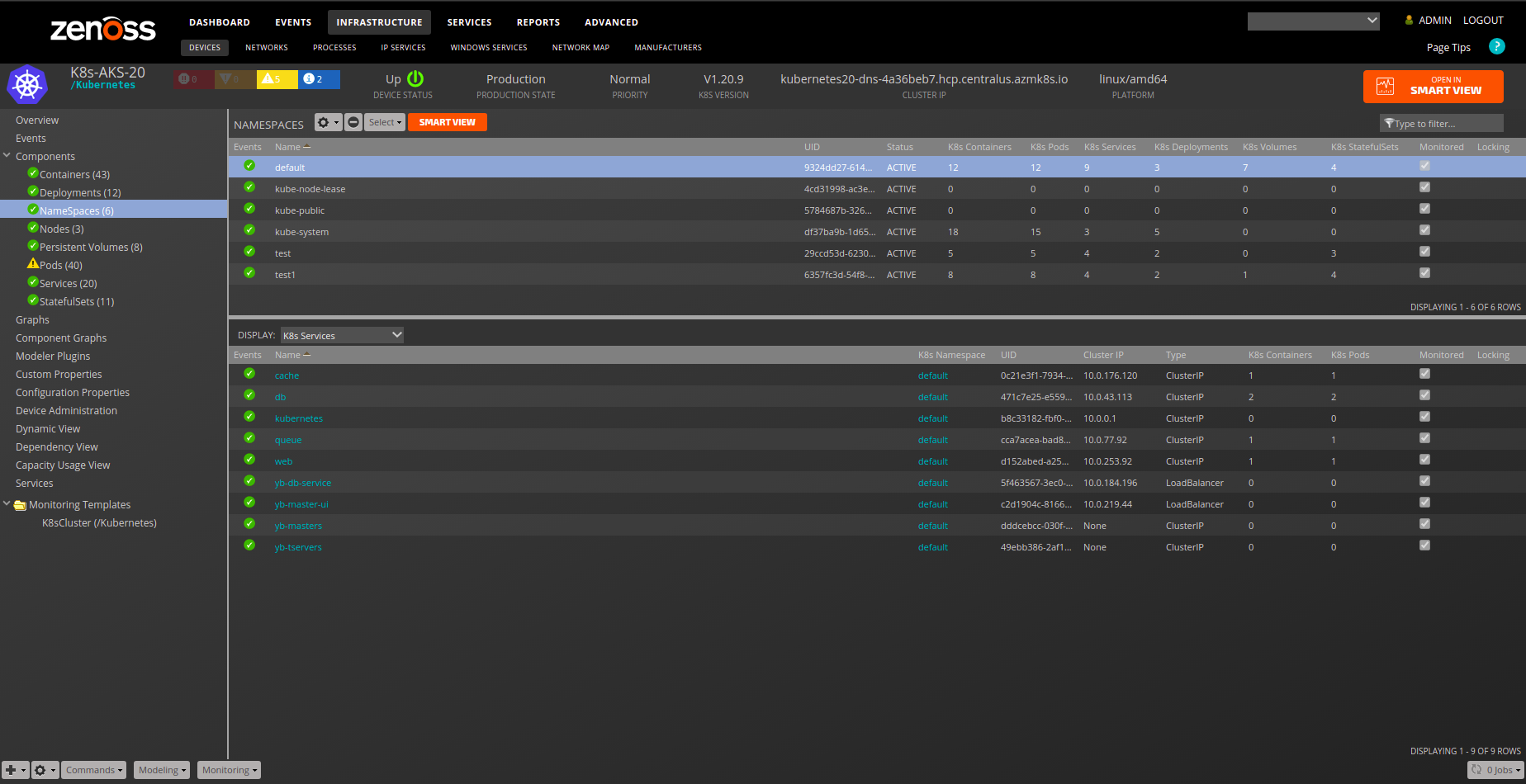
Objects are automatically discovered via the Kubernetes API. The ZenPack class structure can be visualized in the diagram on the right:
The Kubernetes model will be automatically updated as changes are detected on the cluster. New and deleted Services, Deployments, StatefulSets, Pods, and Clusters will be updated as part of the regular monitoring cycle. Changes detected to Namespaces, Nodes, and PersistentVolumes will also be automatically updated. Because incremental modeling is conjoined with the Zenoss monitoring cycle, (default 5 minutes cycles,) it may take several minutes before the Zenoss Kubernetes model synchronizes with the Kubernetes Cluster. Virtual Machine Instances, Virtual Machine Pools, and VMI ReplicaSets are discovered during the full modeling cycle and require zKubernetesModelKubevirtVMIs to be enabled.
Incremental modeling makes use of the Kubernetes Watch API to monitor for changes to K8s clusters by tracking the resourceVersion for each API endpoint. When a zenpython instance starts, the initial monitoring cycle retrieves the current state of all resources. Occasionally, the resourceVersion may become outdated (HTTP 410 Gone), indicating the version is no longer available in the K8s event history. When this occurs, a full resource list is retrieved and reconciled with the existing model to ensure consistency. Due to these factors, it may take two cycles to fully synchronize the K8s model.
The following Kubernetes zProperties also affect incremental modeling:
- zKubernetesContainerNamesModeled
- zKubernetesContainerLabelsModeled
- zKubernetesNamespaceInclude
- zKubernetesNamespaceExclude
- zKubernetesPodInclude
- zKubernetesPodExclude
- zKubernetesWatchApiTimeout
Changes to these properties may not be pick-up and applied until the next modeling cycle.
It is possible that specific Kubernetes cluster workloads might experience a high rate of churn with Pods and Containers. The Kubernetes ZenPack includes reconciliation logic that detects and removes stale components, reducing the impact of high churn on the model.
A new zProperty has been introduced to control the detection of short lifecycle pods that have a high rate of churn. When a short-lived pod is created and deleted within the zKubernetesPodLifecycleThreshold value, an event is generated. The detection can be disabled or the threshold increased or decreased:
- Setting zKubernetesPodLifecycleThreshold to 0 disables detection.
- The default zKubernetesPodLifecycleThreshold is set to 900 seconds (15 minutes).
To address a high rate of churn with short-lived pods, adjust the regular expressions in one or more of the following zProperties:
- zKubernetesNamespaceInclude
- zKubernetesNamespaceExclude
- zKubernetesPodInclude
- zKubernetesPodExclude
Device (Cluster)
- Description: The device represents a single Kubernetes cluster.
- Attributes:
- buildDate
- cluster_ip
- cpu_capacity
- cpu_usage
- gcp_cluster
- memory_capacity
- memory_usage
- platform
- version
- Relationships:
- k8sNamespace
- k8sNode
- k8sPersistentVolume
- Datasource/Datapoints:
- event
- metrics
- cpu
- memory
- Graphs:
- CPU Utilization
- Memory Utilization
- Capacity Thresholds:
- CPU Capacity
- Memory Capacity
Namespace
- Description: Namespaces for Kubernetes.
- Attributes:
- container_count
- namespace_uid
- status
- Relationships:
- k8sPod
- k8sDeployments
- k8sPersistentVolumes
- k8sPersistentVolumeClaims
- kubeServices
- k8sStatefulSet
- k8sVirtualMachineInstances
- k8sVirtualMachinePools
- k8sVirtualMachineInstanceReplicaSets
Node
- Description: Compute nodes that Kubernetes is build from.
- Attributes:
- architecture
- cpu_allocatable
- cpu_capacity
- cpu_usage
- ephemeral_storage_allocatable
- ephemeral_storage_capacity
- externalIP
- guest_device
- internalIP
- kubeletVersion
- manageIP
- memory_allocatable
- memory_capacity
- memory_usage
- modeled_cpu_allocatable
- modeled_cpu_capacity
- modeled_memory_allocatable
- modeled_memory_capacity
- node_hostname
- node_type
- node_uid
- operatingSystem
- pods_allocatable
- pods_capacity
- region
- status
- Relationships:
- k8sCluster
- k8sPods
- k8sVirtualMachineInstances
- Datasource/Datapoints:
- status
- status
- metrics
- cpu
- memory
- allocatable
- cpu
- memory
- capacity
- cpu
- memory
- status
- Graphs:
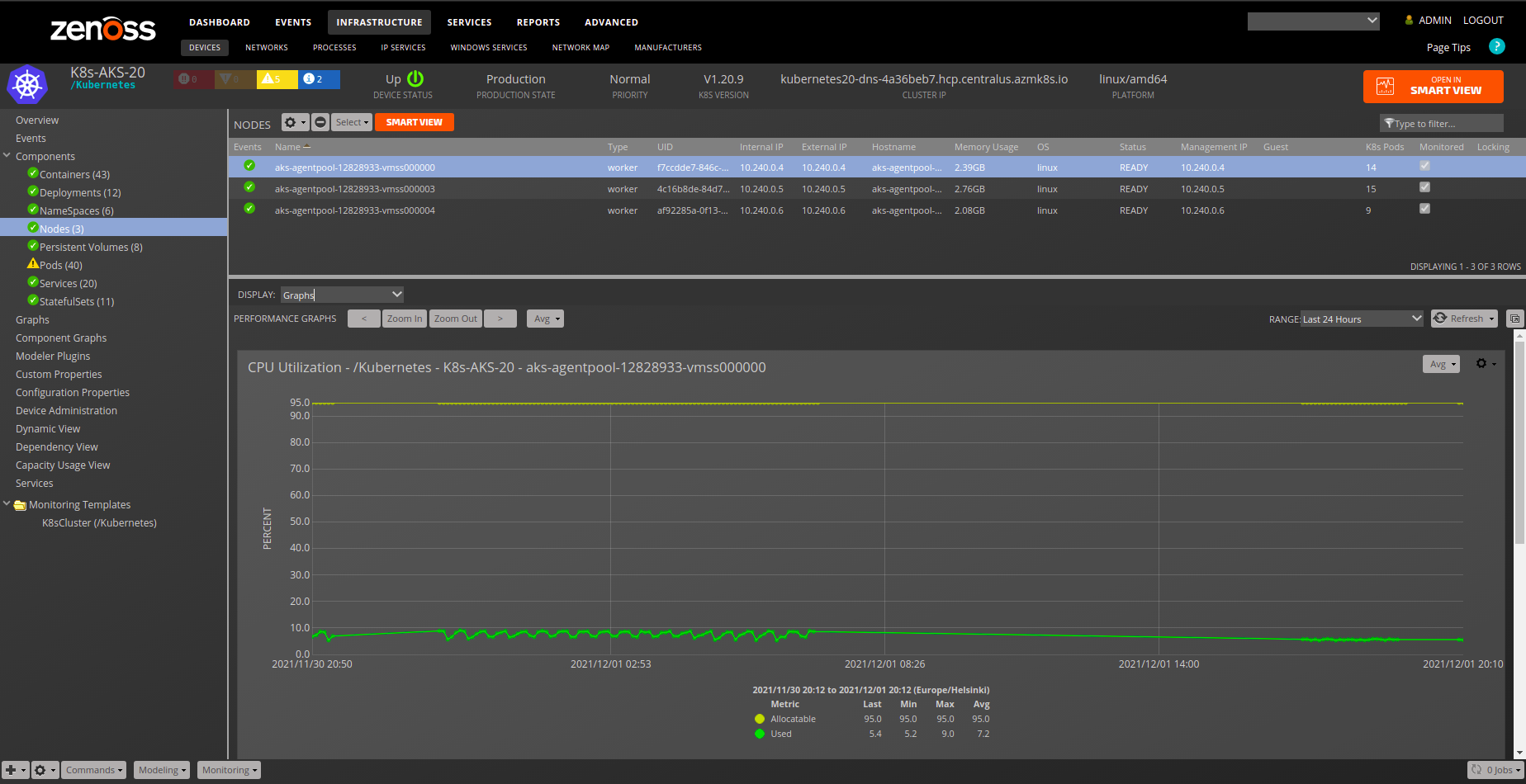
- CPU Utilization
- Memory Utilization
- Thresholds:
- High Memory (default: disabled)
- High CPU Load (default: disabled)
Persistent Volume
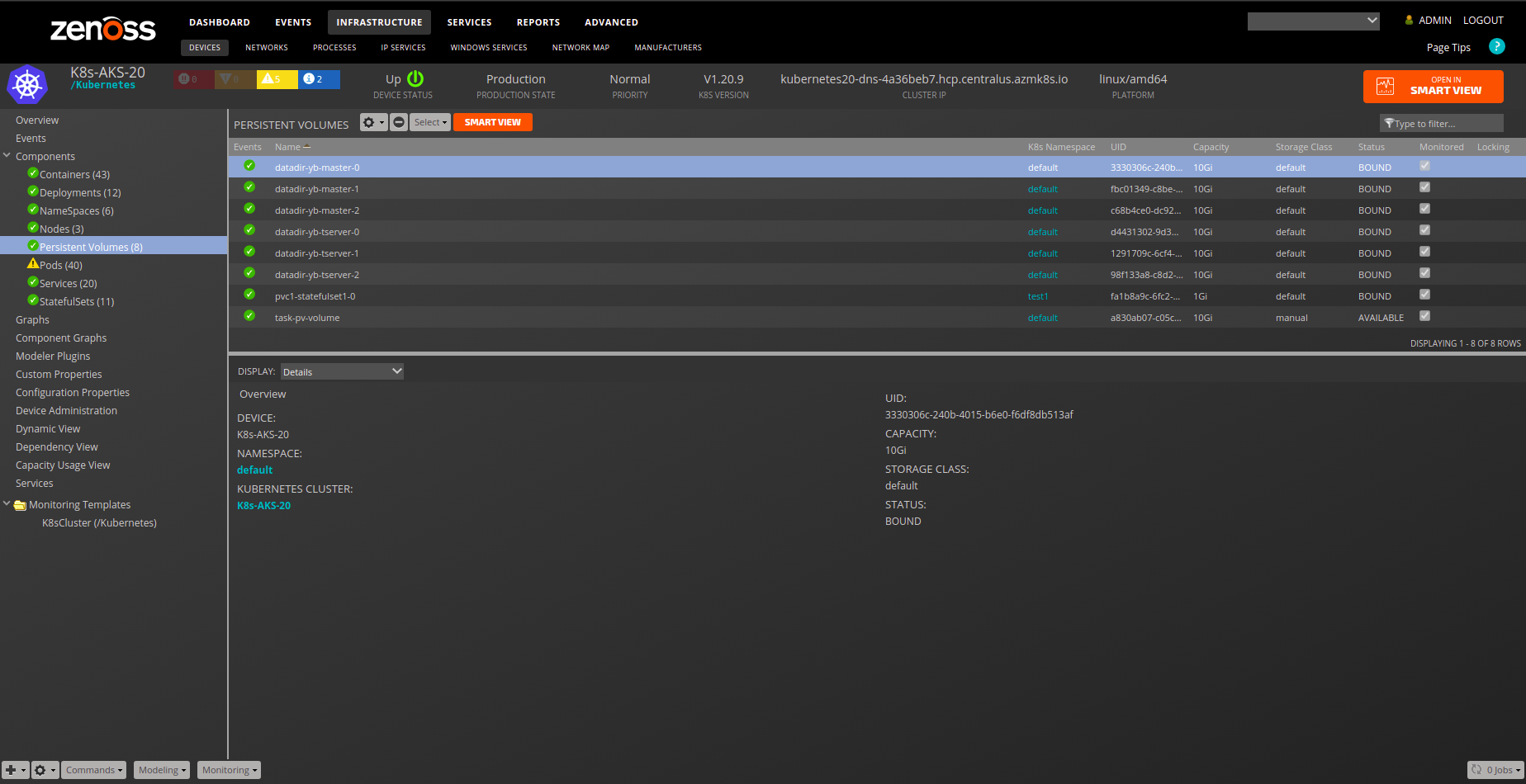
- Description: Storage volume abstraction.
- Attributes:
- capacity
- pv_uid
- status
- storageClassName
- Relationships:
- k8sNamespace
- K8sPersistentVolumeClaim
- Datasource/Datapoints:
- status:
- status
- status:
Persistent Volume Claim
- Description: Storage volume abstraction.
- Attributes:
- storageClassName
- pvc_uid
- pv_uid
- status
- accessModes
- volumeMode
- labels
- Relationships:
- k8sNamespace
- k8sPods
- k8sPersistentVolume
- k8sVirtualMachineInstances
- Datasource/Datapoints:
- status:
- status
- status:
Service
- Description: Kubernetes Services represent virtual services that are realized by Pods, Containers, and Virtual Machine Instances.
- Attributes:
- cluster_ip
- container_count
- port_list
- selector
- service_type
- service_uid
- Relationships:
- k8sNamespace
- k8sPods
- k8sVirtualMachineInstances
Deployments
- Description: Kubernetes Deployments control automation for Pods and Containers.
- Attributes:
- labels
- created
- Relationships:
- k8sNamespace
- k8sPods
- Datasource/Datapoints:
- replicas
- availableReplicas
- readyReplicas
- unavailableReplicas
- updatedReplicas
- collisionCount
- Graphs:
- Replica Set
- Collision Count
- Thresholds:
- Replica Count
StatefulSet
- Description: StatefulSet controller for Kubernetes.
- Attributes:
- labels
- created
- Relationships:
- k8sPod
- k8sNamespace
- Datasource/Datapoints:
- replicas
- currentReplicas
- readyReplicas
- updatedReplicas
- collisionCount
- Graphs:
- Replica Set
- Collision Count
- Thresholds:
- Replica Count
Pod
- Description: A group of one or more containers with shared storage/network, and a specification for how to run the containers.
- Attributes:
- labels
- pod_uid
- status
-
Relationships:
- k8sNamespace
- k8sNode
- k8sContainers
- k8sDeployment
- k8sPersistentVolumeClaims
- kubeServices
- k8sStatefulSet
- k8sVirtualMachineInstances
-
Datasource/Datapoints:
- metrics:
- cpu
- memory
- status:
- status
- metrics:
- Graphs:
- CPU Usage
- Memory Usage
Container
- Description: Lowest compute abstraction element for Pods.
- Attributes:
- cpu_limits
- cpu_requests
- image
- labels
- memory_limits
- memory_requests
- Relationships:
- k8sPod
- Datasource/Datapoints:
- metrics:
- cpu
- memory
- metrics:
- Graphs:
- CPU Usage
- Memory Usage
- Note: It is common for some containers to have only partial data for cpu/memory so it is natural that some of those graphs will be missing data.
- Thresholds:
- High CPU Load
- High Memory
Virtual Machine Instance
- Description: A KubeVirt Virtual Machine Instance (VMI) running on a Kubernetes cluster. VMIs relate to their hosting Pod, Node, and optionally to a guest device for infrastructure correlation. Guest device linking is automatic when the VMI's MAC address matches a device already modeled in Zenoss.
- Attributes:
- cpu_cores
- cpu_sockets
- cpu_threads
- vCPUs
- dedicated_cpu
- isolated_emulator_thread
- guest_device
- guest_os
- guest_kernel
- guest_arch
- ipAddresses
- macAddresses
- interfaces
- labels
- memory_current
- memory_requested
- memory_at_boot
- memory_limits
- memory_requests
- cpu_limits
- cpu_requests
- status
- Relationships:
- k8sNamespace
- k8sNode
- k8sPod
- k8sPersistentVolumeClaims
- kubeServices
- k8sVirtualMachinePool
- k8sVirtualMachineInstanceReplicaSet
- Datasource/Datapoints:
- KubevirtVmi
- Info
- KubevirtVmiCpu
- UsageSecondsTotal
- KubevirtVmiMemory
- DomainBytes
- ResidentBytes
- KubevirtVmiMemoryAvailable
- Bytes
- KubevirtVmiMemoryOverhead
- Bytes
- KubevirtVmiMemorySwapIn
- BytesPerSecond
- KubevirtVmiMemorySwapOut
- BytesPerSecond
- KubevirtVmiNetworkReceive
- BytesTotal
- KubevirtVmiNetworkTransmit
- BytesTotal
- KubevirtVmiStorageRead
- TrafficBytesTotal
- KubevirtVmiStorageWrite
- TrafficBytesTotal
- KubevirtVmi
- Graphs:
- CPU Usage
- Memory Usage
- Swap Activity
- Network Throughput
- Disk Throughput
Virtual Machine Pool
- Description: A KubeVirt Virtual Machine Pool manages a set of identical Virtual Machine Instances with a defined replica count.
- Attributes:
- replicas
- ready_replicas
- updated_replicas
- labels
- selector
- label_selector
- Relationships:
- k8sNamespace
- k8sVirtualMachineInstances
- Datasource/Datapoints:
- VmPoolCpu
- Usage
- VmPoolMemoryResident
- Bytes
- VmPoolMemoryDomain
- Bytes
- VmPoolMemoryAvailable
- Bytes
- VmPoolMemoryOverhead
- Bytes
- VmPoolMemorySwapIn
- BytesPerSecond
- VmPoolMemorySwapOut
- BytesPerSecond
- VmPoolCpu
- Graphs:
- CPU Usage
- Memory Usage
- Swap Activity
Virtual Machine Instance ReplicaSet
- Description: A KubeVirt VMI ReplicaSet ensures a specified number of Virtual Machine Instance replicas are running at any given time.
- Attributes:
- replicas
- ready_replicas
- selector
- prometheus_labels
- label_selector
- Relationships:
- k8sNamespace
- k8sVirtualMachineInstances
- Datasource/Datapoints:
- VmiReplicaSetCpu
- Usage
- VmiReplicaSetMemoryResident
- Bytes
- VmiReplicaSetMemoryDomain
- Bytes
- VmiReplicaSetMemoryAvailable
- Bytes
- VmiReplicaSetMemoryOverhead
- Bytes
- VmiReplicaSetMemorySwapIn
- BytesPerSecond
- VmiReplicaSetMemorySwapOut
- BytesPerSecond
- VmiReplicaSetCpu
- Graphs:
- CPU Usage
- Memory Usage
- Swap Activity
Dashboard Portlets
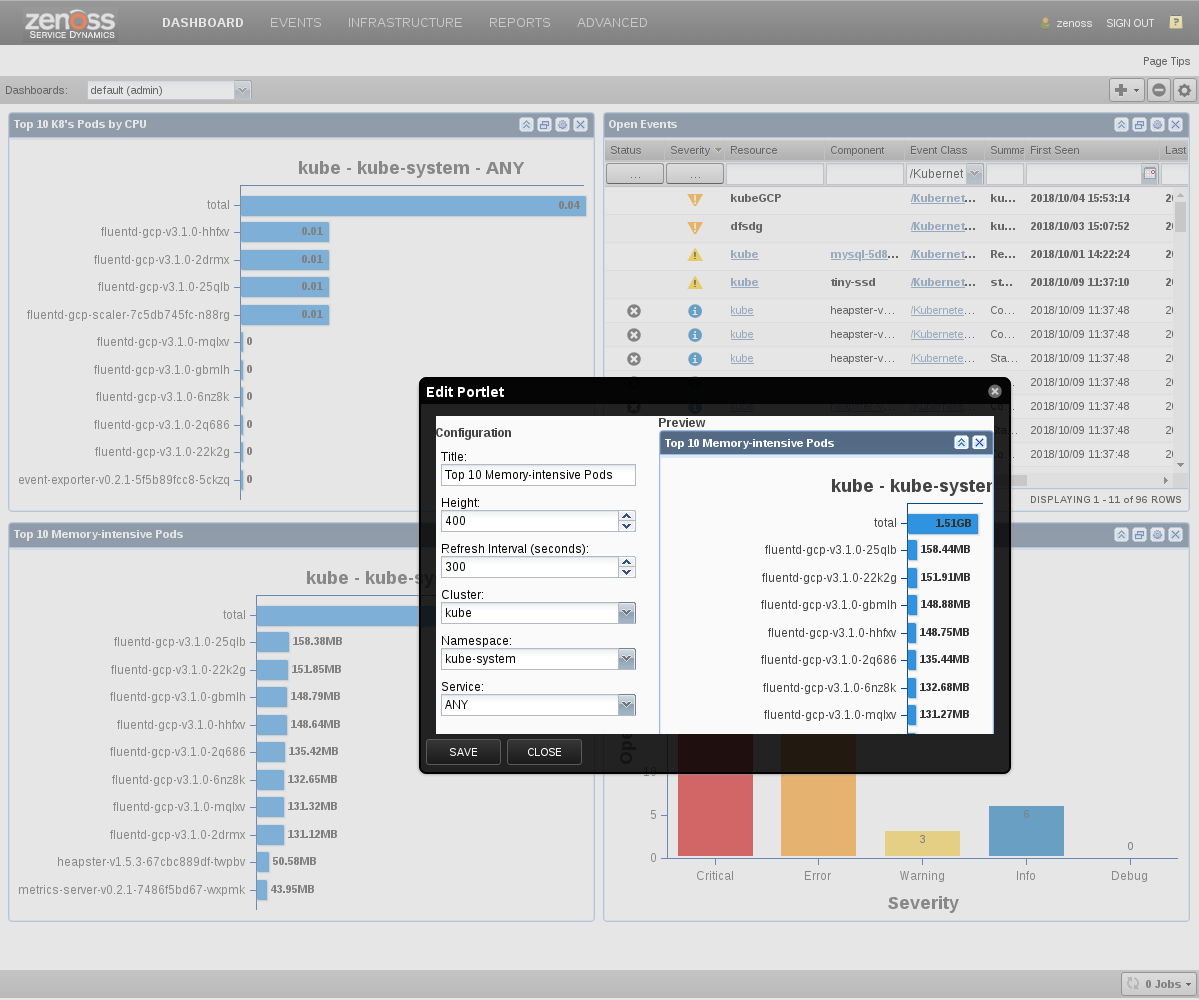
This ZenPack adds portlets that provide at-a-glance views into Pod and Cluster memory and CPU utilization. Portlets are viewed on the first page upon login, and can be added or removed using the dashboard and portlet controls.
Kubernetes Portlets
The following are portlets specific to Kubernetes:
- Top K8s Pods by Memory
- Top K8s Pods CPU
These two portlets can be filtered by:
- Cluster
- Namespace
- Service
Platform Portlets
In addition to Memory and CPU, the following platform portlets support Kubernetes events and issues:
- Device Issues
- Event View
- Open Events
- Open Events Chart
Usage
RBAC Authentication
You must expose the Kubernetes V2 and metrics.k8s.io APIs on your system. We exclusively use Role-based access control (RBAC) for cluster API access. For more information see Using RBAC Authorization.
You generally must do at least the following steps for both GCP and locally installed Kubernetes systems:
-
Set
MY_PREFIXand captureACCOUNT_IDandAPI_SERVER:MY_PREFIX=zenoss API_SERVER=$(kubectl cluster-info | head -1 | cut -d' ' -f6 | sed 's/\x1b\[[0-9;]*m//g')-
If using GKE deployed on the Google Cloud Platform, first ensure you are connected to the correct project associated with your cluster. Now find your
ACCOUNT_ID:ACCOUNT_ID=$(gcloud info --format='value(config.account)') -
If using EKS deployed on the Amazon Web Services, first ensure you are connected to the correct project associated with your cluster. Now find your
ACCOUNT_ID:ACCOUNT_ID=$(aws sts get-caller-identity --output text --query 'Account') -
If using AKS deployed on the Microsoft Azure, first ensure you are connected to the correct project associated with your cluster. Now find your
ACCOUNT_ID:ACCOUNT_ID=$(az account show --query id --output tsv) -
If using locally-hosted Kubernetes, determine the
ACCOUNT_IDand prepare the credentials as per Kubernetes Getting started. - Alternative, setup tutorials for Kubernetes Scratch can be found via an internet search.
-
-
Setup RBAC Authorization:
kubectl create clusterrolebinding $MY_PREFIX-cluster-admin-binding --clusterrole=cluster-admin --user=$ACCOUNT_ID -
Grab the YAML from Appendix: Kubernetes RBAC Setup and save it to the file
zenoss_rbac.yamland use it to create the SA for the role:kubectl apply -f zenoss_rbac.yaml -
Get the secret Token and save it (adjusting
zenoss-secretif required):TOKEN=$(kubectl describe secret zenoss-secret | sed -n '/^token/p' | cut -d' ' -f7) echo $TOKEN -
$TOKENwill be set to the zKubernetesClusterToken in the token section -
From the Infrastructure Add pull-down select Add Kubernetes Cluster
-
Fill in the following fields:
- Device Name
- IP of K8s API ($API_SERVER from above)
- TCP Port of API
- Service Account
- Token for Service Account ($TOKEN from above)
-
Select the correct Collector for your system
-
Hit the Add button
KubeVirt/OpenShift Virtual Machine Monitoring Setup
To monitor KubeVirt or Red Hat OpenShift Virtualization virtual machines, additional RBAC permissions and configuration are required beyond the base Kubernetes RBAC setup.
Note
For OpenShift environments, use oc in place of kubectl for all commands.
-
Apply the KubeVirt RBAC extension from the Appendix: KubeVirt/OpenShift RBAC Setup:
kubectl apply -f zenoss_kubevirt_rbac.yaml -
(OpenShift only) Grant Prometheus/Thanos monitoring access and discover the endpoint:
a. Grant monitoring access:
```sh
oc adm policy add-cluster-role-to-user cluster-monitoring-view \
    system:serviceaccount:default:zenoss
```
b. Discover the Prometheus endpoint:
```sh
# Get Prometheus service info
oc get svc -n openshift-monitoring prometheus-k8s

# Get external route (if exposed)
oc get route -n openshift-monitoring | grep -E "prometheus|thanos"
```
Note
For non-OpenShift KubeVirt environments, set
zKubernetesPrometheusEndpointto your Prometheus endpoint (e.g.,<your-prometheus-url>) andzKubernetesPrometheusPortto the appropriate port. -
Configure the following zProperties on the Kubernetes device in Zenoss:
- zKubernetesModelKubevirtVMIs: Set to
Trueto enable VMI modeling - zKubernetesPrometheusEndpoint: Set to the Prometheus/Thanos endpoint
(e.g.,
https://thanos-querier.openshift-monitoring.svcfor OpenShift or<your-prometheus-url>for standalone Prometheus) - zKubernetesPrometheusPort: Set to the Prometheus port
(e.g.,
9091for OpenShift Thanos Querier)
- zKubernetesModelKubevirtVMIs: Set to
-
Model the device to discover VM components:
- Navigate to the Kubernetes device
- Select Model Device from the gear menu
- Verify components appear: Virtual Machine Instances, Virtual Machine Pools, VMI ReplicaSets
-
Verify KubeVirt RBAC permissions:
kubectl auth can-i list virtualmachineinstances \
    --as=system:serviceaccount:default:zenoss --all-namespaces
kubectl auth can-i list virtualmachinepools \
    --as=system:serviceaccount:default:zenoss --all-namespaces
kubectl auth can-i list virtualmachineinstancereplicasets \
    --as=system:serviceaccount:default:zenoss --all-namespaces
Diagnostics Utility
The Kubernetes ZenPack includes a diagnostics utility (diagnostics.py) that validates
connectivity, RBAC permissions, and Prometheus access for a Kubernetes cluster. This tool
is useful for verifying your setup before or after configuring a device in Zenoss.
The utility is located in the ZenPack installation directory and can be run from a container that has access to the target device to be tested, like zenpython, zenmodeler, zminion:
python diagnostics.py \
    --cluster-host <cluster-host> \
    --cluster-port <cluster-port> \
    --service-account <service-account> \
    --token <service-account-token> \
    --prometheus-endpoint <prometheus-host> \
    --prometheus-port <prometheus-port> \
    --model-kubevirt-vms
Note
The --prometheus-endpoint, --prometheus-port, and --model-kubevirt-vms flags
are optional and only required when validating KubeVirt/OpenShift VM monitoring.
Example output:
============================================================
Kubernetes ZenPack Diagnostics
============================================================

[PASS] Cluster Connectivity and Authentication: Successfully connected to: <cluster-host>:<cluster-port>
[PASS] RBAC Permissions: All required permissions granted (list, get, watch for all resources)
[PASS] KubeVirt Resource Access: Can access all KubeVirt resource types (27 total resources found)
[PASS] Prometheus Connectivity: Successfully connected to Prometheus at <prometheus-host>:<prometheus-port>
[PASS] KubeVirt Prometheus Metrics: All KubeVirt metrics available (142 total series)

============================================================
Summary
============================================================
Total checks: 5
Passed: 5
Failed: 0

All checks passed!
============================================================
Kubernetes Batch Configuration
If you use Zenoss Service Dynamics, you can also add your devices in batch for convenience and automation.
-
Attach to the Zope container:
serviced service attach zope -
Create a text file (filename:
/tmp/batch.txt) and replace$TOKENwith your token from above:/Devices/Kubernetes kubernets101 zKubernetesClusterIP='10.20.30.40', \ zKubernetesPort="443", \ zKubernetesServiceAccount='zenoss', \ zKubernetesClusterToken='$TOKEN' -
Now run the
zenbatchloadcommand:zenbatchload /tmp/batch.txt -
The device should now load and model automatically
Adding a Custom Datasource to Metrics
In order to add a metrics datasource, you must be familiar with the API target you wish to call and the resulting JSON data response.
The metrics datasource provided requires three configuration parameters, which we describe below:
- api_target: The API target that gets appended to the metrics base API URL
- data_path: The path through the returned JSON that identifies the metric
- aggregator: Method to aggregate values returned by apt_target and data_path.
Together, the api_target and data_path provide the complete
information for the datasource to acquire the requested data.
The aggregator provides the method to put that data together to form a
single data value.
api_target
The api_target must be a valid path for the API. It must be in a plain REST GET format.
<string1>/<string2>/<string3>
where each <string*> must be a valid string defined in the API.
Examples:
api/v1/nodes api/v1/pods apis/metrics.k8s.io/v1beta1/nodes apis/metrics.k8s.io/v1beta1/pods
These examples supply the entire API path beyond the base URL, and are required. More information can be found in Resource metrics pipeline.
data_path
The data_path string represents a path through the returned JSON data that loosely follows the jq style format which separates path elements (dictionary keys) by dots. It can include the following items:
-
Plain jq strings. For example:
a.b -
Strings with square brackets with a jq-style identifier:
items[metadata.name]This example will scan all list elements in items and select the meta.name element from those items. To clarify, this will match all
itemsthat have the JSON keymetadatawith sub-keyname. Note that this element is not useful on its own unlessitems[metadata.name]filtersitemsand selects out only those which havemetadata.namestructure. -
Strings with square brackets with a value-qualified jq-styled identifier. This allows you to filter list items that match a dictionary key or value. Examples:
items[metadata.name=server7] items[metadata.name=server7].usage items[metadata.name=${here/title}].usage items[metadata.name=${here/title}].status.capacityNote that the last two examples show that you can use dynamic TALES expressions instead of static strings to filter the
itemselements by value. Also note that the last three examples specify the path to the metric that matches theitemlist elements in square brackets.
aggregator
The required aggregator is selected from the drop-down. Choose from:
- AVERAGE: Average all elements
- FIRST: Choose the first element only
- MAX: Select the maximum value
- MIN: Select the minimum value
- PERCENT_AVERAGE: Return average of the data multiplied by 100
- PERCENT_SUM: Return sum of the data multiplied by 100
- SUM_OR_ZERO: Sum the data, return zero if no data exists
- SUM: Sum all the data
Adding a Custom Prometheus Metrics DataSource
The Kubernetes ZenPack includes a Prometheus Metrics datasource type for querying Prometheus-compatible endpoints (including OpenShift Thanos Querier). This datasource uses PromQL queries to collect metrics.
The Prometheus Metrics datasource requires the following configuration parameters:
- api_target: The Prometheus API endpoint to query (typically
api/v1/query) - promql: The PromQL query expression
- datapoints: One or more datapoints, optionally mapped to Prometheus metric names
via
apiMetricName
The promql field supports TALES expressions for dynamic values such as
${here/title} (component name) and ${here/zKubernetesMonitoringInterval}
(collection interval).
Note
When creating a datasource, the Use Namespaced checkbox should be enabled if
the Prometheus metric includes a namespace label for filtering. When creating
datapoints, the apiMetricName field is required when the PromQL query returns
multiple metrics and the datapoint needs to match a specific metric name from
the result. For simple queries that return a single metric, apiMetricName can
be omitted.
Warning
When using arithmetic PromQL queries that combine multiple metrics
(e.g., sum(metric1) - sum(metric2)), you MUST include
by (namespace, exported_namespace) in the query to preserve namespace
labels for filtering. Without this, namespace-scoped metrics will be
silently dropped. For cluster-scoped resources, disable the
Use Namespaced checkbox.
Example 1: Simple metric query
A basic query for VMI available memory:
- api_target:
api/v1/query - promql:
kubevirt_vmi_memory_available_bytes{name="${here/title}"} - datapoints:
- Bytes (rrdtype: GAUGE, apiMetricName:
kubevirt_vmi_memory_available_bytes)
- Bytes (rrdtype: GAUGE, apiMetricName:
Example 2: Rate query with time range
A rate query for VMI CPU usage over the monitoring interval:
- api_target:
api/v1/query - promql:
rate({name="${here/title}", __name__="kubevirt_vmi_cpu_usage_seconds_total"}[${here/zKubernetesMonitoringInterval}s]) - datapoints:
- UsageSecondsTotal (rrdtype: GAUGE, apiMetricName:
kubevirt_vmi_cpu_usage_seconds_total)
- UsageSecondsTotal (rrdtype: GAUGE, apiMetricName:
Example 3: Aggregate query across multiple instances
An aggregate query for total CPU usage across all VMIs in a Virtual Machine Pool:
- api_target:
api/v1/query - promql:
sum(rate(kubevirt_vmi_cpu_usage_seconds_total{kubernetes_vmi_label_kubevirt_io_vmpool="${here/title}"}[${here/zKubernetesMonitoringInterval}s])) without (name, instance, job, pod) - datapoints:
- Usage (rrdtype: GAUGE, apiMetricName:
kubevirt_vmi_cpu_usage_seconds_total)
- Usage (rrdtype: GAUGE, apiMetricName:
Note
The zKubernetesPrometheusEndpoint and zKubernetesPrometheusPort zProperties
must be configured on the device for Prometheus datasources to function. See
the KubeVirt/OpenShift Virtual Machine Monitoring Setup section for details.
Installed Items
Installing this ZenPack will add the following items to your Zenoss system:
Configuration and zProperties
The zProperties and default settings are as follows:
- zKubernetesClusterIP: The IP address of the Kubernetes Cluster API.
- zKubernetesClusterName: Name of cluster used for association with related resources.
- zKubernetesPort: The TCP port of the API.
- Default value: 443
- zKubernetesServiceAccount: The Kubernetes service account
associated with the API account. See
kubectl get serviceaccountsfor more information. - zKubernetesClusterToken: The token associated with
zKubernetesServiceAccount. Seekubectl describe secretsfor more information. - zKubernetesGuestUseExternalIP: Boolean to set the
manageIpto the external IP for host monitoring. This property should be set to False If guest device of EC2 account is modeled by an internal IP in order to have links to Kubernetes Guest devices.- Default value: True
- zKubernetesEventInterval: Polling interval for events.
- Default value: 60
- zKubernetesMonitoringInterval: Polling interval for metrics
collection.
- Default value: 300
- zKubernetesStatusInterval: Polling interval for status updates.
- Default value: 300
- zKubernetesContainerNamesModeled: RegEx Pattern of Container
names to model. Note that only Containers which are members of Pods
that match the
zKubernetesNamespaceIncludeandzKubernetesPodIncludepatterns may be captured. Containers that belong to Pods that are not modeled will also not be modeled. If kept blank, then no containers which satisfyzKubernetesContainerNamesModeledpattern will be modeled.- Format: regex
- Default value:
[".*"]
- zKubernetesContainerLabelsModeled: Container labels to model. If
both
zKubernetesContainerLabelsModeledandzKubernetesContainerNamesModeledare set, then all containers that match at least one property will be listed, (i.e. Venn diagram union).- Format: key: value
- Default value:
[""]
- zKubernetesPodFilter: Deprecated. Replaced by zKubernetesPodInclude and zKubernetesPodExclude.
- zKubernetesPodInclude: Regular expression(s) for pods to include
when modeling. Each pattern should be written on a new line. When
specified, only the pods matching will be included in modeling. Note,
any expression provided in zKubernetesPodExclude will override any
specified here. By default, we include everything.
- Format: regex
- Default value:
[".*"]
- zKubernetesPodExclude: Regular expression(s) for pods to ignore
when modeling, including any specified in zKubernetesPodInclude. Each
pattern should be written on a new line. By default, we do not exclude
anything.
- Format: regex
- Default value:
[]
- zKubernetesPodLifecycleThreshold: Threshold in seconds for detecting
short-lived pods. Pods created and deleted within this timeframe will
generate an informational event suggesting they should be excluded from
modeling. Pods must exist long enough to be modeled and monitored to be
useful - if pods consistently complete before monitoring can occur, they
should be excluded using zKubernetesPodExclude. Set to 0 to disable
short-lived pod detection. Default is 900 seconds (15 minutes).
- Default value: 900
- zKubernetesWatchApiTimeout: Timeout (in seconds) for the list/watch call.
This limits the duration of the call, regardless of any activity or inactivity.
- Format: number
- Default value: 2
- zKubernetesWatchInterval: Polling interval for Kubernetes Watch API collection.
- Default value: 300
- zKubernetesNamespaceInclude: Regex pattern of namespaces to include when modeling.
Regular expression(s) for namespaces to include when modeling.
Each pattern should be written on a new line.
When specified, only the namespaces provided are included in modeling.
Any expression provided in zKubernetesNamespaceExclude will override
any specified entry here. By default, we include everything.
- Format: regex
- Default value:
[".*"]
- zKubernetesNamespaceExclude:
Regex pattern of namespaces to exclude in modeling.
Regular expression(s) for namespaces to ignore when modeling, including
any specified in zKubernetesNamespaceInclude. Write each pattern on a new line.
By default, we exclude the 'kube-system' namespace and components.
- Format: regex
- Default value:
["kube-system"]
- zKubernetesModelKubevirtVMIs: If true, KubeVirt VMIs will be modeled
as Zenoss objects. This allows for modeling and monitoring of KubeVirt/OpenShift
virtual machines within Zenoss.
- Default value: False
- zKubernetesVirtualMachineInstanceInclude: Regular expression(s) for virtual
machine instances to include when modeling. Each pattern should be written on a
new line. When specified, only the virtual machine instances provided will be
included in modeling. Note, any expression provided in
zKubernetesVirtualMachineInstanceExclude will override any specified here.
By default, we include everything.
- Format: regex
- Default value:
[".*"]
- zKubernetesVirtualMachineInstanceExclude: Regular expression(s) for virtual
machine instances to exclude when modeling, including any specified in
zKubernetesVirtualMachineInstanceInclude. Each pattern should be written on a
new line. By default, we do not exclude anything.
- Format: regex
- Default value:
[]
- zKubernetesPrometheusEndpoint: The api endpoint host to query metrics for kubevirt VMIs.
- zKubernetesPrometheusPort: The prometheus api endpoint port for connecting to the prometheus endpoint.
- zKubernetesPrometheusUseSSL: If true, use HTTPS to connect to zKubernetesPrometheusEndpoint. Set to false for non-SSL Prometheus instances.
Device Modeling Configuration
Some zProperties, noted above, can affect the application of other properties during modeling of a device, i.e.:
- zKubernetesNamespaceInclude/zKubernetesNamespaceExclude can affect:
- zKubernetesPodInclude
- zKubernetesPodExclude
- zKubernetesContainerNamesModeled
- zKubernetesContainerLabelsModeled
- zKubernetesPodInclude/zKubernetesPodExclude can affect:
- zKubernetesContainerNamesModeled
- zKubernetesContainerLabelsModeled
- zKubernetesContainerNamesModeled can affect:
- zKubernetesContainerLabelsModeled
- zKubernetesContainerLabelsModeled can affect:
- zKubernetesContainerNamesModeled
To configure the modeling of Kubernetes Cluster components use the following combination of zProperties:
-
zKubernetesNamespaceInclude: All Deployments, StatefulSets, and Services that belong to Namespaces and that are specified by the
zKubernetesNamespaceIncludepattern will be modeled. Any expression provided inzKubernetesNamespaceExcludewill override any expression specified here. By default, we include everything. -
zKubernetesNamespaceExclude: All Deployments, StatefulSets, and Services that belong to Namespaces and that are specified by
zKubernetesNamespaceExcludepattern will not be modeled, including any entries specified inzKubernetesNamespaceInclude. All Pods and Containers that belong to Namespaces that are specified by the zKubernetesNamespaceExclude pattern will not be modeled, even if they are specified byzKubernetesPodInclude,zKubernetesContainerNamesModeled, andzKubernetesContainerLabelsModeled. -
zKubernetesPodInclude/zKubernetesPodExclude: Pods that belong to Namespaces allowed by
zKubernetesNamespaceIncludeand not excluded byzKubernetesNamespaceExcludeare further filtered by these properties. Pods not matchingzKubernetesPodIncludeor matchingzKubernetesPodExcludewill not be modeled. Containers belonging to excluded Pods will also not be modeled, even if specified byzKubernetesContainerNamesModeledorzKubernetesContainerLabelsModeled. -
zKubernetesContainerNamesModeled and zKubernetesContainerLabelsModeled: Containers belonging to Pods allowed by
zKubernetesNamespaceIncludeandzKubernetesPodIncludeare further filtered by these properties. A Container will be modeled if it matches eitherzKubernetesContainerNamesModeledorzKubernetesContainerLabelsModeled(i.e., the union of both filters). If neither property matches the Container, it will not be modeled.
Common values for filter zProperties
Common values for zKubernetesNamespaceInclude, zKubernetesPodInclude,
and zKubernetesContainerNamesModeled:
[""]- no components will be selected for the modeling.[".*"]- all available components will be selected for the modeling.["default|test"]- all components related todefaultandtestwill be selected for the modeling.["^((?!pod-1).)*$"]- all containers which do not relate topod-1will be selected for the modeling.
Common values for zKubernetesContainerLabelsModeled:
[""]- no components will be selected for the modeling.["app: mysql|app: redis"]- containers which have a labelmysqlorrediswill be selected for the modeling.
Modeler Plugins
- Kubernetes.Cluster
Service Impact and Root Cause Analysis
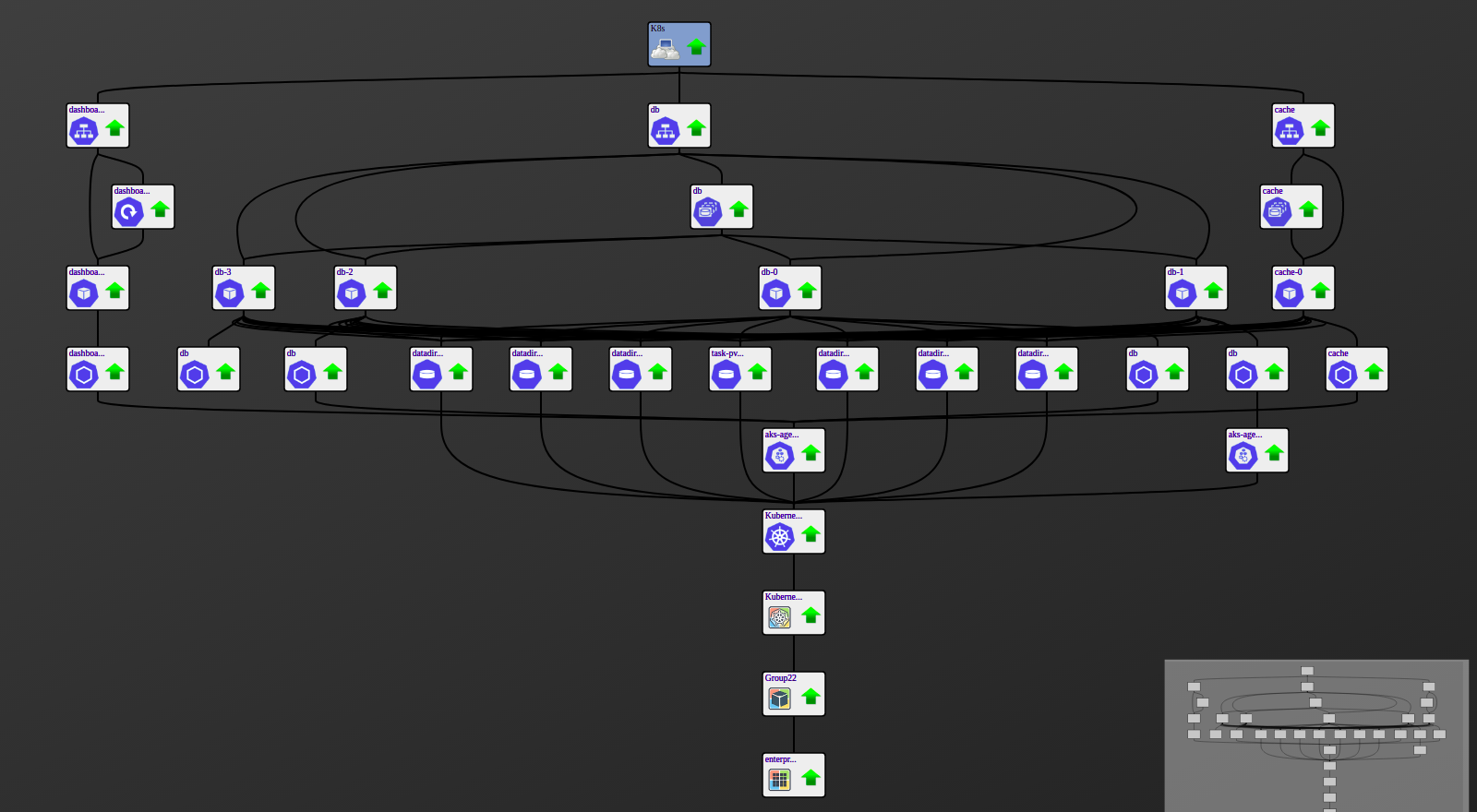
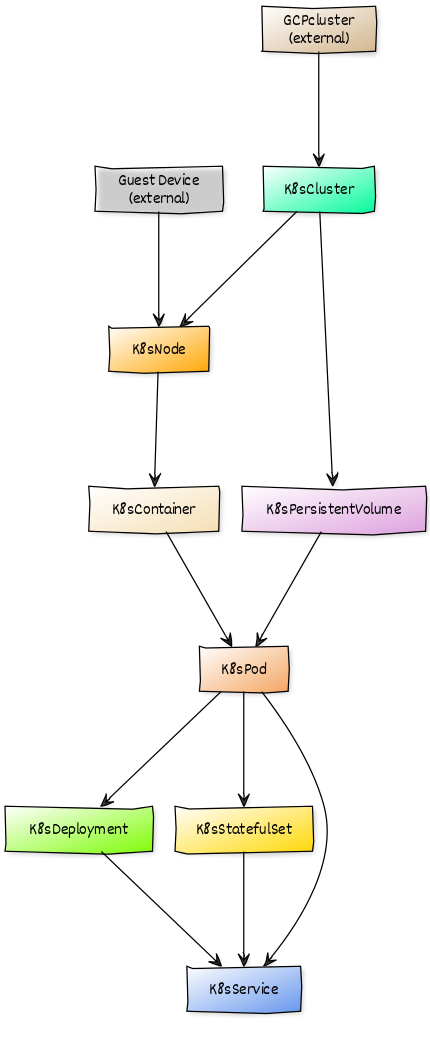
When combined with the Zenoss Service Dynamics product, this ZenPack adds built-in service impact and root cause analysis capabilities. The service impact relationships shown in the diagram (right) and described below are automatically added and maintained. These will be included in any services that contain one or more of the explicitly mentioned components.
The following objects types would typically be added to Impact services.
- Kubernetes Containers
- Linux device associated with a Kubernetes Node
Impact Relationships between Kubernetes Components
- GuestCluster (external): impacts Cluster
- GuestDevice (external): impacts Node
- Cluster: impacts Node, Persistent Volume
- Node: impacts Container
- Container: impacts Pod
- PersistentVolume: impacts PersistentVolumeClaim
- PersistentVolumeClaim: impacts Pod, VirtualMachineInstance
- Pod: impacts Deployment, StatefulSet, VirtualMachineInstance, Service
- VirtualMachineInstance: impacts VirtualMachineInstanceReplicaSet, VirtualMachineInstancePool, Service
- Deployment: impacts Service
- StatefulSet: impacts Service
Managed Resource Counting
This ZenPack contributes Kubernetes worker nodes to your Managed Resource (MR) count, with one important exception: if a node is also separately monitored as a virtual machine or instance (vSphere, AWS, Azure, GCP, or Nutanix), only that underlying VM/instance counts — the node itself is not counted a second time.
Your Kubernetes cluster connection does not count as an MR — only the worker nodes (and their deduplicated VM/instance equivalents) do.
Known limitation: nodes running on bare-metal Cisco UCS servers are not currently deduplicated this way — see the Cisco UCS ZenPack's documentation for why.
Appendix: Kubernetes RBAC Setup
In order to properly enable the Core Metrics Service and provide RBAC access permissions to other components, the following YAML must be applied to the account in the following way:
kubectl apply -f zenoss_rbac.yaml
as references in Usage.
Save the following YAML as zenoss_rbac.yaml as references above. Make
sure to preserve the proper YAML formatting:
apiVersion: v1
kind: ServiceAccount
metadata:
  name: zenoss
  namespace: default
secrets:
- name: zenoss-secret
---
apiVersion: v1
kind: Secret
metadata:
  name: zenoss-secret
  annotations:
    kubernetes.io/service-account.name: zenoss
type: kubernetes.io/service-account-token
---
apiVersion: rbac.authorization.k8s.io/v1
kind: ClusterRole
metadata:
  name: zenoss-role
rules:
- apiGroups:
  - ""
  resources:
  - events
  - namespaces
  - nodes
  - persistentvolumes
  - pods
  - services
  verbs:
  - get
  - list
  - watch
- apiGroups:
  - apps
  resources:
  - deployments
  - statefulsets
  verbs:
  - get
  - list
  - watch
- apiGroups:
  - metrics.k8s.io
  resources:
  - nodes
  - pods
  verbs:
  - get
  - list
  - watch
---
apiVersion: rbac.authorization.k8s.io/v1
kind: ClusterRoleBinding
metadata:
  name: zenoss-role-binding
roleRef:
  kind: ClusterRole
  name: zenoss-role
  apiGroup: rbac.authorization.k8s.io
subjects:
- kind: ServiceAccount
  name: zenoss
  namespace: default
To validate added permissions run
kubectl api-resources -o wide
Appendix: KubeVirt/OpenShift RBAC Setup
To enable monitoring of KubeVirt or Red Hat OpenShift Virtualization virtual machines, the following additional RBAC permissions must be applied. These are in addition to the base Kubernetes RBAC setup above.
Note
For OpenShift environments, use oc in place of kubectl for all commands.
kubectl apply -f zenoss_kubevirt_rbac.yaml
Save the following YAML as zenoss_kubevirt_rbac.yaml. Make sure to preserve the
proper YAML formatting:
apiVersion: rbac.authorization.k8s.io/v1
kind: ClusterRole
metadata:
  name: zenoss-kubevirt-role
rules:
# KubeVirt VirtualMachines and VirtualMachineInstances
- apiGroups:
  - kubevirt.io
  resources:
  - virtualmachines
  - virtualmachineinstances
  - virtualmachineinstancereplicasets
  verbs:
  - get
  - list
  - watch
# VMI subresources (for detailed guest OS info, filesystems, users)
- apiGroups:
  - subresources.kubevirt.io
  resources:
  - virtualmachineinstances/guestosinfo
  - virtualmachineinstances/filesystemlist
  - virtualmachineinstances/userlist
  verbs:
  - get
  - list
# KubeVirt VirtualMachinePools
- apiGroups:
  - pool.kubevirt.io
  resources:
  - virtualmachinepools
  verbs:
  - get
  - list
  - watch
---
apiVersion: rbac.authorization.k8s.io/v1
kind: ClusterRoleBinding
metadata:
  name: zenoss-kubevirt-role-binding
roleRef:
  kind: ClusterRole
  name: zenoss-kubevirt-role
  apiGroup: rbac.authorization.k8s.io
subjects:
- kind: ServiceAccount
  name: zenoss
  namespace: default
To validate KubeVirt permissions:
kubectl auth can-i list virtualmachineinstances \
    --as=system:serviceaccount:default:zenoss --all-namespaces
kubectl auth can-i list virtualmachinepools \
    --as=system:serviceaccount:default:zenoss --all-namespaces
kubectl auth can-i list virtualmachineinstancereplicasets \
    --as=system:serviceaccount:default:zenoss --all-namespaces
Appendix: Identifying Master Nodes
Master node primary is identified by having one of the three processes: kube-apiserver, kube-controller-manager and kube-scheduler.
Identifying master nodes can sometimes fail. We provide several ways to test for master using Kubernetes node labels:
"node-role.kubernetes.io/master": ["master" | "true" | True]"master": ["true" | True]
Note that #2 can be a custom set label as described below.
If you have issues with your nodes being identified as non-master, you can set a label on your node metadata as:
master: "true"
In GCP, this is edited in the UI:
Kubernetes Engine -> Cluster -> Node -> YAML -> Edit
In kubectl, you can edit the node YAML directly:
kubectl edit node ${NODE_NAME}
You should see end up with something like this:
apiVersion: v1
kind: Node
metadata:
  annotations:
    node.alpha.kubernetes.io/ttl: "0"
    volumes.kubernetes.io/controller-managed-attach-detach: "true"
  creationTimestamp: 2018-06-25T20:55:33Z
  labels:
    beta.kubernetes.io/arch: amd64
    beta.kubernetes.io/fluentd-ds-ready: "true"
    beta.kubernetes.io/instance-type: g1-small
    beta.kubernetes.io/os: linux
    cloud.google.com/gke-nodepool: default-pool
    failure-domain.beta.kubernetes.io/region: us-central1
    failure-domain.beta.kubernetes.io/zone: us-central1-a
    kubernetes.io/hostname: gke-cluster-1-default-pool-fc3e27a3-2mmx
    master: "true"
spec:
  ... etc ...
Appendix: AWS EKS nodes
An Amazon EKS cluster consists of two components:
- The Amazon EKS control plane
- Amazon EKS worker nodes
The Amazon EKS control plane includes master nodes that run the Kubernetes software, such as the Kubernetes API server and etcd. The control plane runs in a separate account managed by AWS. Amazon EKS worker nodes run in customer's AWS account and connect to cluster's control plane. So, on AWS EKS we should see only worker nodes.
Appendix: AKS, Azure nodes
An Azure AKS cluster consists of two components:
- The Azure frontend is managed by Ingress
- The Azure production cluster hosts kubernetes nodes
- Read more about Microservices architecture on Azure Kubernetes Service.
Changes
2.1.1
- Added Managed Resource counting for worker nodes, with cross-platform dedup against backing vSphere/AWS/Azure/GCP/Nutanix instances. (ZPS-9327)
- Tested with Virtana Service Observability (formerly Zenoss Cloud) and Virtana Resource Manager 6.9.0, and Service Impact 5.7.2
2.1.0
- Added KubeVirt and Red Hat OpenShift Virtualization support: modeling and monitoring of Virtual Machine Instances, Virtual Machine Pools, and VMI ReplicaSets. (ZPS-9155)
- Added Prometheus Metrics datasource for collecting KubeVirt VM metrics. (ZPS-9155)
- Added guest device linking for Virtual Machine Instances via MAC address matching. (ZPS-9155)
- Added new event class /Status/Kubernetes/Prometheus for Prometheus metrics events. (ZPS-9155)
- Added diagnostics utility for validating cluster connectivity, RBAC permissions, and Prometheus access. (ZPS-9155)
- Replaced K8sService 1:M relationship with new KubeService M:M relationship for Pods and Virtual Machine Instances. Old K8sService components are automatically removed after upgrade and modeling. (ZPS-9232)
- Added zKubernetesPodInclude and zKubernetesPodExclude, replacing deprecated zKubernetesPodFilter. (ZPS-9144)
- Added zKubernetesPodLifecycleThreshold for detecting short-lived pods. (ZPS-9144)
- Added zKubernetesWatchInterval for configuring watch API polling interval. (ZPS-9220)
- Fixed stale cache reconciliation after 410 Gone responses from K8s Watch API. (ZPS-9220)
- Fixed component_ids persistence across plugin recreations. (ZPS-9220)
- Fixed callhome reporting for KubeVirt VMI components. (ZPS-9155)
- Fixed filter pattern compilation to log errors instead of raising exceptions. (ZPS-9079)
- Fixed incremental modeling event generation for pod status changes. (ZPS-9091)
- Requires PS.Util ZenPack >= 1.10.0
- Tested with Zenoss Cloud, Zenoss Resource Manager 6.7 and 6.9
2.0.0
- Added links between Kubernetes nodes and corresponding vSphere VMs. (ZPS-6894)
- Resolved "MISSING" status issue for Kubernetes Pods in the ZenPack. (ZPS-8063)
- Fixed excessive invalidation churn caused by Kubernetes incremental modeling. (ZPS-8261)
- Added CPU and Memory threshold support for Kubernetes Pods. (ZPS-8779)
- Fixed large-scale DataMap generation during incremental modeling in K8sWatchDataSource. (ZPS-8780)
- Fixed an issue where zKubernetesNamespaceFilter could disrupt modeling. The two new zProperties are introduced: zKubernetesNamespaceInclude and zKubernetesNamespaceExclude. (ZPS-8944)
- Improved debugging by enhancing error details in Kubernetes modeling logs. (ZPS-8951)
- Fixed Kubernetes event generation and clearing by addressing component ID mismatches. (ZPS-8994)
- Fixed event clearing issues when the Kubernetes API returns an empty response. (ZPS-8995)
- Fixed linking of services, statefulsets, and deployments to Pods through custom labels. (ZPS-9001)
- Updated the relationship between PersistentVolumeClaims and Pods to many-to-many (M:M). (ZPS-9017)
- Fixed modeling errors caused by Unicode ObjectMap IDs. (ZPS-9018)
- Fixed modeling failures related to outdated resourceVersion values in API calls. (ZPS-9019)
- Resolved incremental modeling inconsistencies caused by ConflictErrors leading to lost Object Maps. (ZPS-9027)
- Fixed Pod to Deployments, Services, and StatefulSets mapping issue during incremental modeling. (ZPS-9032)
- Tested with Zenoss Cloud, Zenoss 6.7.0 and Service Impact 5.7.0
1.2.0
- Added monitoring of StatefulSet component (ZPS-6984)
- Added zKubernetesPodFilter for filtering Pods and Containers (ZPS-7294)
- Fixed Cluster, Container, and Node templates (ZPS-7409)
- Fixed modeling of Pods with the same names (ZPS-7887)
- Fixed namespace setting during modeling of Containers (ZPS-7888)
- Tested with Zenoss Cloud, Zenoss 6.6.0 and Service Impact 5.5.5
1.1.0
- Added support for incremental modeling
- Added support for EKS (AWS) and AKS (Azure)
- Add Deployment component and updated Impact relations (ZPS-4625)
- Improved explanation in auth related errors (ZPS-5955)
- Added Operating System Relationships (ZPS-5878)
- Tested with Zenoss 6.4.1, Zenoss Cloud and Impact 5.5.1
1.0.1
- Fix install issue with Zenoss 6.2.0 (ZPS-4674)
- Tested with Zenoss 6.2.1, Zenoss Cloud and Impact 5.3.1
1.0.0
- Initial Release
- Tested with Zenoss 6.2.1, Zenoss Cloud and Impact 5.3.1